
The Simple Interval Timer App Built for Serious Training
A simple interval timer app does one job: keep time so you can focus on your work. It's not a fitness platform trying to be your coach, nutritionist, and social network. Its only purpose is to let you focus 100% on your effort, whether you're hitting a Tabata set, grinding out boxing rounds, or pushing through repeats on the track.
Why Simplicity Is a Strategic Advantage in Training
When you’re chasing a PR, complexity is the enemy. Every second spent navigating confusing menus or fighting a clunky interface is a second you're not mentally dialed in for the next interval.
This isn’t about finding an app with the fewest features. It’s about finding one with the right features, designed for speed.
A good timer eliminates decision fatigue. Think about your "time-to-train"—how fast can you go from unlocking your phone to hearing that first beep? A truly simple interval timer app makes this hand-off instant. It prioritizes function over fluff.
Cutting Through the App Store Noise
The fitness app market is saturated. It's projected to hit $10.5 billion by 2026, a boom driven by the 47% of adults who needed better tools for home training when gyms closed. But more options created more noise. You can read more about the fitness app market's growth here.
This is where a dedicated, purpose-built timer excels. It’s built for the reality of hard training:
- When you're gassed: You need huge, readable numbers you can see from across the floor.
- When your music is loud: You need sharp audio cues that cut through the noise.
- When you're repeating a workout: You need presets that let you start your session in two taps.
A simple timer isn't just about minimalist design; it's a piece of training equipment. It handles the clock so you can put all your mental energy into the work itself.
For anyone serious about CrossFit, combat sports, or endurance training, a timer isn't an accessory—it's gear. It keeps you honest, dictates your pace, and makes your training repeatable. It’s built to help you get the work done.
The Non-Negotiable Features of a Training Timer
A serious training timer isn't about flashy features you'll never use. It's about how quickly and reliably it does its job. Forget digging through menus when you're trying to start your session. A simple interval timer app strips away the noise and focuses on what actually matters for performance.
This no-nonsense approach is why fitness tech has exploded. Interval timer apps are now a go-to tool for a global community of 345 million active users, with 850 million downloads in the last year alone. This isn't just for casual gym-goers; these are athletes running specific protocols. That demand for focused training is what has driven the market to nearly $4 billion in revenue. You can find out more about how specialized apps are shaping modern training.
The Four Core Timer Modes
Any timer worth using has to nail the four fundamental modes. Each one serves a specific training stimulus, giving you control over work, rest, and pacing.
Here's a breakdown of the essentials.
Essential Timer Modes and Their Training Purpose
| Timer Mode | Primary Use Case | Best For Athletes In |
|---|---|---|
| Intervals (Work/Rest) | Precise control of work and recovery periods for classic high-intensity training. | Track and field, HIIT, combat sports, team sports conditioning. |
| EMOM | Building work capacity and consistent pacing under fatigue. Work on the minute, every minute. | CrossFit, weightlifting, functional fitness, MetCons. |
| Tabata | A specific protocol (20s work, 10s rest) for boosting aerobic and anaerobic capacity. | Anyone needing maximum metabolic impact in minimal time. Ideal for bodyweight circuits. |
| Stopwatch/Countdown | Timing single efforts or straightforward timed events without complexity. | Powerlifting (rest periods), endurance athletes (time trials), anyone needing a simple "go" signal. |
These four modes are the foundation of structured training. Without them, an app is just a clock.
The entire point of a simple tool is to get out of your way. It lets you keep your head in the workout, which is where performance gains are made.
The Unsung Hero: A Clear Rounds Counter
Beyond the basic modes, one deceptively simple feature makes a huge difference: a clear rounds counter.
It sounds minor, but when you're deep in a workout and completely gassed, it's easy to lose track. Was that round five or six?
A big, visible round counter is your anchor. It removes the mental load of counting, freeing you to focus on the next rep instead of trying to remember where you are.
This detail is often what separates a decent timer from a great one. It keeps you honest, on pace, and locked into the workout without breaking rhythm.
What Separates a Good Timer from a Great One?
When you’re under physical stress, the last thing you need is a clunky app. A good simple interval timer app isn’t defined by animations or a million features; it’s defined by speed, clarity, and its ability to get out of your way.
The real test is 'speed to start'. How many taps does it take to fire up your go-to EMOM or Tabata session? If it takes more than a few seconds to set up a workout you do three times a week, the app is a bottleneck.
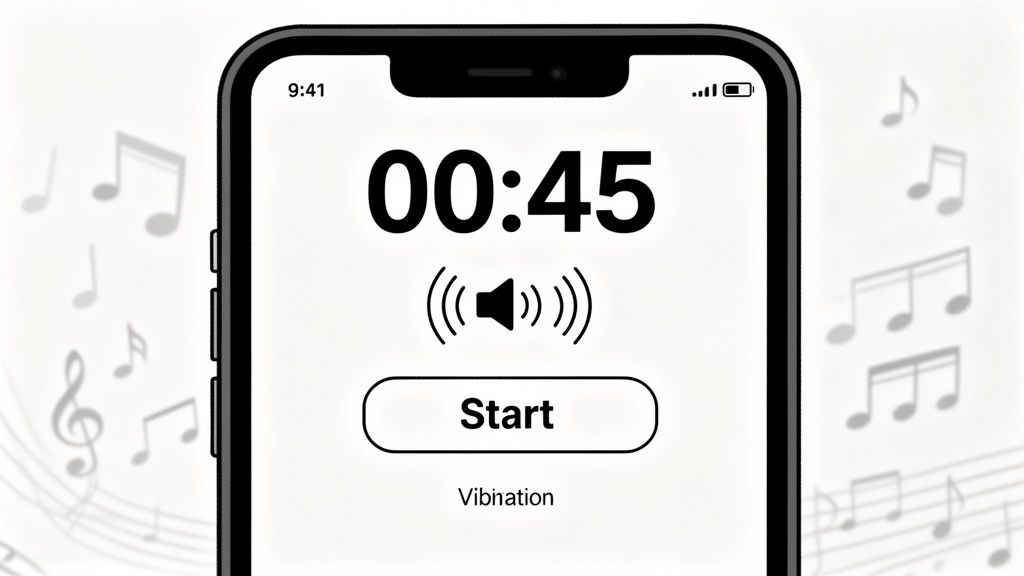
This demand for no-nonsense tools is why the fitness app market is projected to grow from $4.9 billion to $25.9 billion by 2032. Athletes want tech that works. Big, bold numbers you can see from across the floor aren't a nice-to-have—they're essential. You can dig into these trends and how app design is evolving in fitness.
Sensory Cues: Can You Hear It and Feel It?
During a hard workout, your brain is already overloaded. A top-tier timer communicates through powerful, unmissable signals. The goal is to run an entire session without looking at your screen.
That’s where sensory cues are critical:
- Loud, Distinct Sounds: The beeps need to be sharp enough to cut through a playlist or a noisy gym. Generic notification sounds don't work. You need options like a classic boxing bell or a piercing tone designed for loud environments.
- Strong Haptic Feedback: A solid buzz is non-negotiable, especially with headphones. A weak vibration is useless. You need a strong, deliberate vibration you can feel in your pocket or on your wrist, telling you when to start and stop. Our guide on using an interval timer on your Apple Watch details why this feature is a game-changer.
- Zero-Clutter Visuals: The screen must be stripped down to essentials: time, round number, and current state (Work/Rest). Massive, high-contrast numbers are required for at-a-glance readability. Anything else is noise.
Does It Work When You’re Not Looking?
A text message shouldn’t kill your workout. A timer that can't run flawlessly in the background isn't a professional tool.
A great timer is like a good referee—it does its job so well you forget it’s there. It keeps the time, calls the rounds, and lets you focus 100% on your performance.
It has to keep perfect time whether you switch to your music app, lock your screen, or take a call. If a timer pauses or stutters the second it's not the primary app, you can't trust it. You need to set it, start it, and forget it.
How to Set Up Your Timer for Different Training Protocols
Knowing what an interval timer does is one thing. Knowing how to dial it in for a specific workout is another. Let's get practical with proven setups for different training styles.
The goal is to make this effortless. Once you dial in these settings, save them as presets. The only thing standing between you and your first set should be your warm-up. A good setup keeps you honest and ensures you're getting the intended stimulus, whether for metabolic conditioning, fight pacing, or lactate threshold work.
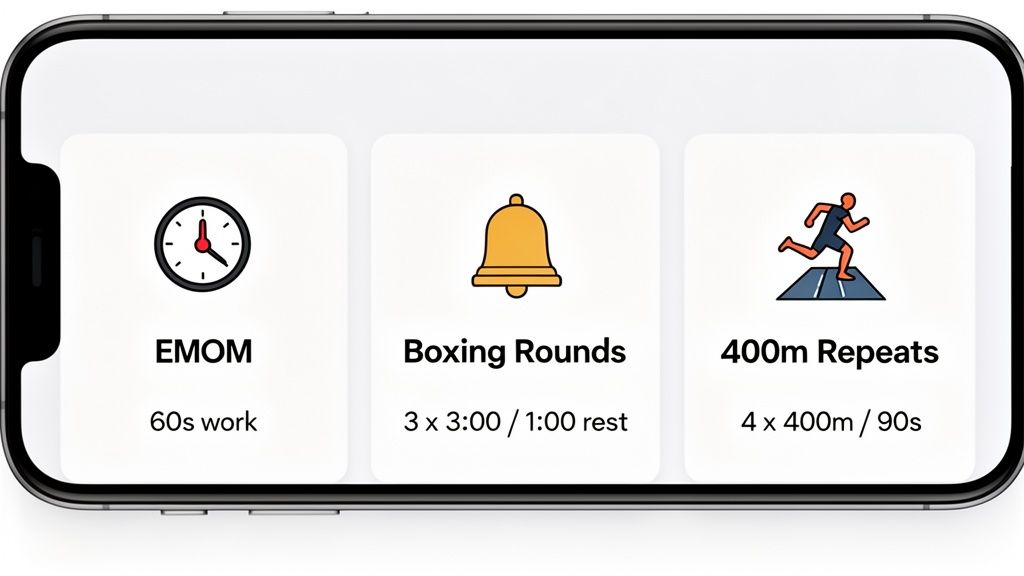
CrossFit Template: The EMOM
The Every Minute On the Minute (EMOM) is a CrossFit staple for building work capacity and skill under fatigue. When you're deep in the workout, you need cues that are clean and impossible to miss.
Here’s a bulletproof setup for a classic 10-minute EMOM:
- Mode: Select EMOM.
- Time: Set to 1 minute intervals.
- Rounds: Set to 10 rounds.
- Cues: Use a sharp, piercing beep for the start of each minute. A 3-second countdown beep before the next round is non-negotiable; it gives you just enough time to get set.
- Display: Ensure the round count is huge. Seeing "Round 8 of 10" from across the room is the feedback you need to pace your final push.
This isn’t just about counting seconds; it’s about establishing rhythm. A perfectly set EMOM timer lets you focus purely on movement and breathing, because you trust the clock.
Boxing Template: The 3-Minute Round
For fighters, training must mirror the demands of a bout. That means intense work, structured rest, and signals that cut through exhaustion and adrenaline.
The timer in a fight camp isn't a suggestion—it's the law. Your conditioning is built around those three-minute bursts. Your setup needs to reflect that intensity with zero ambiguity.
Here's how to configure your timer to replicate a fight:
- Mode: Use Intervals (Work/Rest).
- Work: Set to 3 minutes. That's the round.
- Rest: Set to 1 minute for recovery.
- Rounds: Program your total, like 10 rounds for a solid 40-minute session.
- Sounds: This is critical. Use a classic boxing bell for the start and end of rounds. You need a distinct 10-second warning clapper to signal the final push.
Endurance Template: The 400-Meter Repeat
For runners and other endurance athletes, precision is everything. Work-to-rest ratios are designed to target specific energy systems. A sloppy timer setup leads to junk miles and wasted sessions.
Let's dial in a track workout: 8 x 400-meter repeats with a 1:1 work-to-rest ratio, aiming for 90-second laps.
- Mode: Intervals (Work/Rest).
- Work Interval: Set to 1 minute, 30 seconds. This is your target for each 400m lap.
- Rest Interval: Match it at 1 minute, 30 seconds.
- Rounds: Set to 8.
- Cues: Don't just rely on sound. Use strong haptic feedback. When you're locked in on your stride and breathing, a vibration on your wrist or in your pocket is an undeniable signal to go again.
Your Simple Interval Timer App Checklist
Before downloading another app, run it through this checklist. This isn't about marketing features; it's a practical test to see if an app is built for real-world training. The goal is to find a tool that starts instantly, gives you clear feedback, and gets out of your way.
If you answer "no" to more than a couple of these, it's probably not the right training partner.
Core Functionality and Speed
This is the foundation. If an app fails here, nothing else matters. It has to be fast, dependable, and nail the essential training modes.
- Can you launch a saved workout in under 10 seconds? Your warm-up is for your body, not for navigating menus. Quick-start presets are a must.
- Does it cover the basics: Intervals, EMOM, Tabata, and a simple Stopwatch? These are the core of most training programs. An app missing any is incomplete.
- Are the round and interval counters huge and easy to read? You need to glance at your screen from across the gym while gassed and know exactly where you are. No squinting.
- Does it run perfectly in the background? A timer that dies when you switch to a music app or lock your screen is a workout killer.
Mid-Workout Usability and Cues
An app's real value shows when you're under stress. The interface must be clean, with cues so obvious you can't miss them.
Your timer's job is to deliver information with zero confusion. Vague beeps, a cluttered screen, or weak vibrations are liabilities in the pain cave. The signals have to be as sharp as your focus needs to be.
- Are the audio cues loud enough to cut through your music or a noisy gym? A quiet chime won't work. You need sharp, distinct sounds like a boxing bell or a piercing tone.
- Does it offer strong haptic feedback? A solid vibration you can feel in your pocket or on a smartwatch is a game-changer, especially when training with headphones.
- Is the display high-contrast and clutter-free? The screen should only show what’s critical: time left, current round, and work/rest status. Anything else is noise.
- Can you pause, resume, or skip an interval with one big, easy tap? Fumbling for tiny buttons mid-burpee is a sign of bad design. Controls need to be big and responsive.
The Right Tool Protects Your Focus
This guide isn't about one specific app. It’s about a training philosophy: focus, simplicity, and performance when it counts. A simple interval timer app is a tool that supports this philosophy by being dependable, straightforward, and effective.
An app like KNTC was built from this mindset. It combines fast presets, essential timer modes, and audio cues that are impossible to ignore. The point is to have a tool that disappears into the background, solving common problems like fiddling with settings or not hearing your timer over the music.
When your timer just works, you can put all your attention where it matters: your effort.
You should now have a clear understanding of what to look for. Armed with these principles, you can pick the right tool for the job. To go deeper, check out our guide on finding the best interval timer app for your specific training goals.
The right tool doesn't just count seconds; it protects your focus. It eliminates distractions so you can push your limits, stick to the plan, and pour every bit of mental energy into the work. That's where real gains are made.
Common Questions About Interval Timer Apps
We get a lot of questions from athletes looking for the right simple interval timer app. Here are straight answers to the most common ones.
Simple Timer vs. Workout Logger: What’s the Difference?
A simple interval timer is a precision tool. It’s built to do one thing perfectly: manage your time, rounds, and rest periods without getting in your way. A workout logger is a database designed to track exercises, weight lifted, and progress over months or years.
When you’re in an EMOM or a HIIT session, you need the precision tool. A dedicated timer is faster, gives you loud, unmissable cues, and fades into the background so your focus stays on the work.
I Can Build Workouts By Hand, Why Use Presets?
Building a workout on the fly is fine for a one-off session. But for consistent training, presets are essential. If you’re hitting the same Tabata sprints, 3-minute boxing rounds, or running repeats week after week, presets get you moving with a single tap.
Presets kill "decision fatigue" before it starts. They lock in your timing protocol so it's identical every session—the only way to accurately measure if you're getting fitter.
It’s less thinking, more doing.
Can't I Just Use the Clock App on My Phone?
You could, but it's a poor choice for serious training. Your phone’s built-in stopwatch can’t handle automatic work/rest cycles, doesn't count rounds, and its alert sound is easy to miss. You’d be stuck manually resetting it after every single interval.
That constant stopping and starting shatters your focus, drops your heart rate, and makes protocols like Tabata or EMOMs impossible to execute correctly. A proper timer automates the entire process so you can focus on performance.
Why Do Haptics and Vibrations Matter?
Haptics are a game-changer in two scenarios: a loud gym or training with headphones. When weights are dropping and music is blasting, you can easily miss an audio cue. A strong vibration on your wrist or in your pocket provides a physical signal that cuts through the noise.
If you train with your own playlist, haptics let you feel the timer without turning down your music. It's about getting a reliable signal to go or stop, no matter the environment.
Ready to stop fighting your timer and start focusing on your training? KNTC is a performance-first interval timer built for athletes who take their work seriously. See what a difference a zero-distraction tool can make. Try KNTC today.
Find the Best Free HIIT Timer App for Serious Training
Stop wasting time on bad apps. This guide helps you find a free HIIT timer app with the precision and features you need for serious interval training.
The Running Interval Timer App Built for Serious Training
Discover how a running interval timer app can optimize workouts, boost endurance, and take your training to the next level.