
Master Your Interval Timer on Apple Watch for Peak Performance
If you're still hitting the lap button or glancing at the wall clock during a WOD, you're leaving performance on the table. For serious athletes, precise intervals are non-negotiable for structured, progressive training.
Your Apple Watch has three ways to run intervals: the basic built-in options, creating a custom workout, and using a dedicated app built for athletes. This guide cuts through the noise and shows you how to turn your watch into a tool that executes every workout with precision.
Why an Apple Watch is a Powerful Training Tool
Guessing your intervals doesn't cut it. Whether you're grinding through Tabata, an EMOM, or 400m repeats, structured timing dictates progressive overload and metabolic conditioning. Fumbling with your phone or watching a clock kills intensity and breaks focus when it matters most.
A properly configured Apple Watch eliminates that friction. This isn't about tracking steps; it’s about turning a gadget into a machine that dictates performance. The goal is to offload the mental work of timekeeping so you can focus 100% on form, pacing, and effort.
This flowchart helps you decide which method fits your workout.
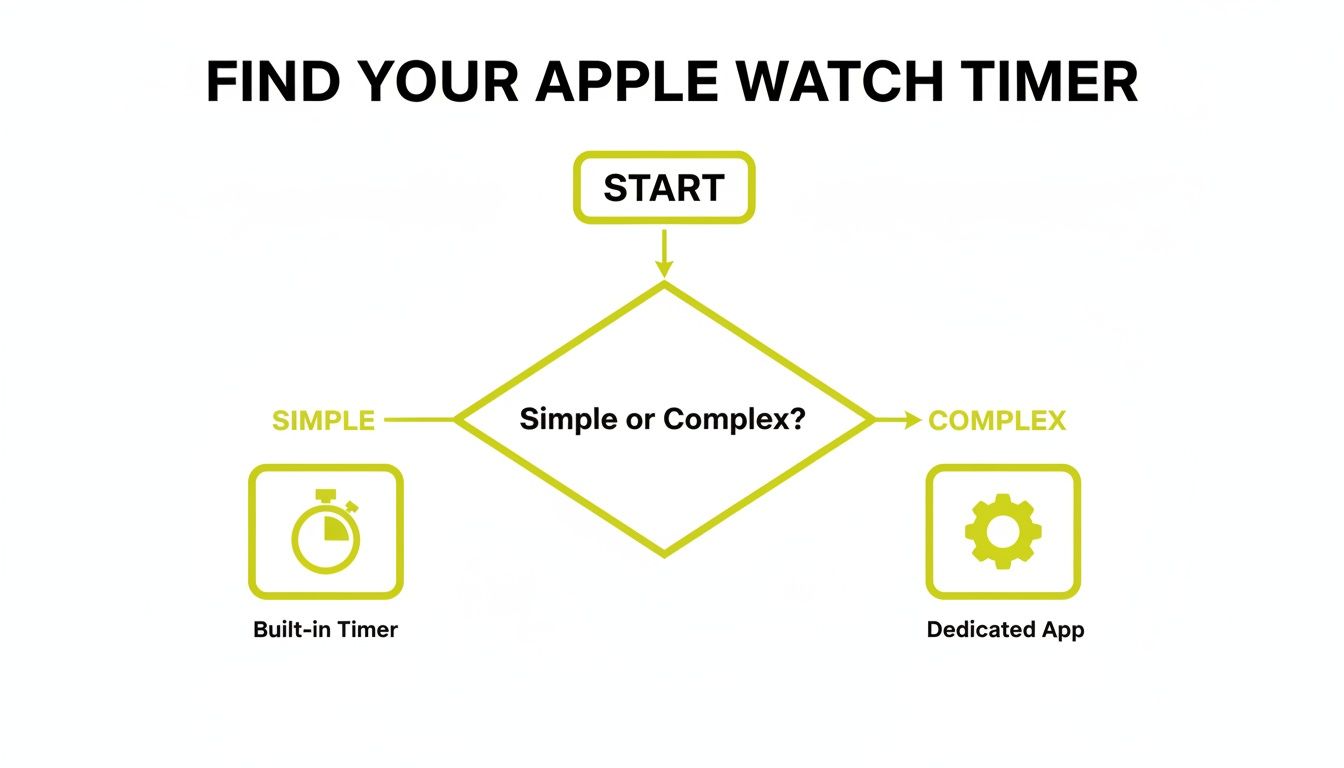
For simple countdowns, the native tools are adequate. For complex, multi-stage workouts, a specialized app is the logical choice.
Apple Watch Interval Timer Methods At a Glance
Here’s a breakdown of the primary ways to run intervals on your Apple Watch. Use this to choose the right tool for the job.
| Method | Best For | Key Limitation |
|---|---|---|
| Built-in Timer App | Quick, single-interval sets (e.g., a 3-minute round or a plank). | Cannot handle complex, automated work/rest cycles. |
| Custom Workouts | Structured running or cycling with repeating work/rest blocks. | Limited to specific workout types; lacks flexibility for HIIT or CrossFit. |
| Third-Party Apps | Complex, multi-stage workouts like HIIT, Tabata, EMOMs, and boxing rounds. | Requires finding and sometimes paying for a quality app. |
While the built-in features are a solid start, serious and varied interval training will quickly push you toward a dedicated app.
What This Guide Covers
We will cover the exact steps to turn your device into a powerful interval timer on Apple Watch.
You will learn how to:
- Maximize the native Timer and Workout apps.
- Build structured workouts for running and cycling.
- Identify when a dedicated third-party app is necessary for high-intensity training.
Your Apple Watch's Built-In Workout App
Your Apple Watch has a decent tool for basic interval training baked right in. For runners or cyclists with a simple work/rest session, the native Workout app gets the job done without extra downloads.
Open the Workout app, select an activity like Outdoor Run, tap the three-dot menu, and scroll to Create Workout. From there, select Custom and build your session with warm-ups, work intervals, recovery periods, and a cooldown.
How to Build a Simple Interval Session
For a classic running workout like 8 x 400m repeats with a 90-second recovery jog, you can build it directly in the app. Create a repeating block consisting of a 0.25-mile work interval followed by a 1-minute, 30-second recovery. This is where the built-in tool excels—for straightforward, repeating intervals based on time or distance.
The main advantage is getting haptic and audio alerts on your wrist, letting you leave your phone behind. For a runner focused on hitting splits, the native app provides what you need to stay on track without constantly checking your watch.
However, its limitations are quickly apparent. Setting up complex routines like an EMOM or a true Tabata workout is frustrating, if not impossible. Editing a saved workout is also cumbersome; it's often easier to delete it and start over.
Another significant drawback is the audio cues. They are not loud. In a gym with music playing, you will likely miss them—a deal-breaker when a clear signal to switch exercises is required.
While Apple markets general fitness effectively, the custom workout builder feels like an afterthought for dedicated athletes. It works, but it's basic.
Think of it as a starting point. The built-in app is perfect for proving the concept and handling simple sessions. Once your training demands more complexity, a dedicated free interval timer app is the necessary next step.
When You Need A Dedicated Interval Timer App
The built-in tools on the Apple Watch are fine for a simple run. But when your training gets complex, you hit their limits.
If you do CrossFit WODs, boxing rounds, or any serious HIIT, you’ve hit that wall. It's the moment you miss a weak haptic buzz during a set of burpees or waste a rest period fiddling with the screen to set up the next interval. That’s when a basic timer becomes a distraction, not a tool.
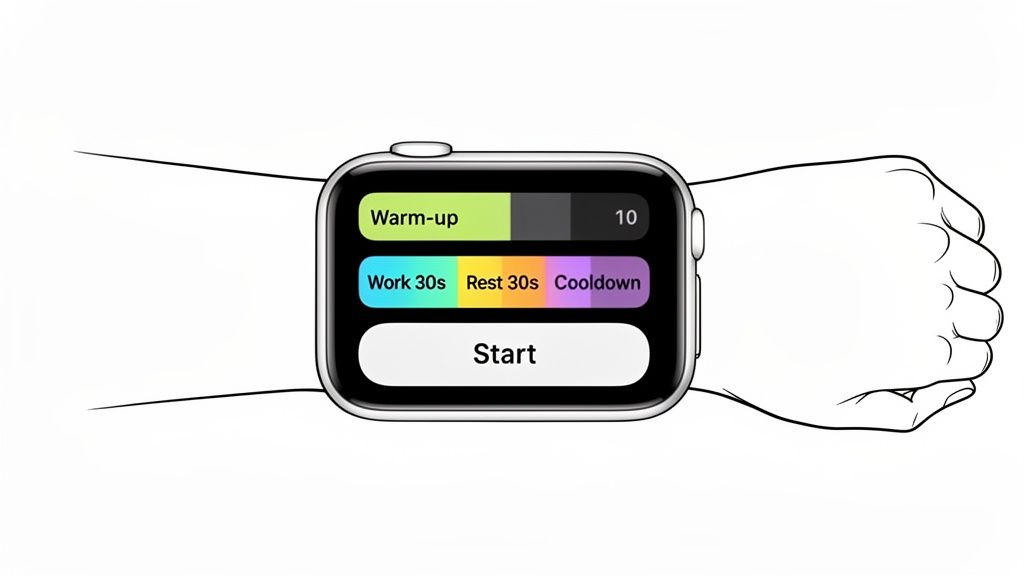
Essential Features For High-Intensity Training
Switching to a dedicated interval timer on Apple Watch isn’t about a fancier stopwatch. It's about getting a tool built for the demands of an intense workout. The rise of specialized fitness apps reflects a clear need: athletes require gear that can keep up.
A solid training app must deliver on these core features:
- Distinct Audio Cues: You need loud, unmistakable sounds that cut through a workout playlist, the clang of a barbell, or gym noise. A single, generic beep is insufficient when you need different alerts for work, rest, and transitions.
- Powerful Haptic Feedback: During deep fatigue, a faint wrist buzz is easy to miss. A good app uses strong, defined vibrations you can feel without doubt, letting you focus on form, not your watch.
- Quick-Start Presets: Building a Tabata or EMOM workout from scratch every time kills momentum. The best apps let you save routines as presets, so you can go from zero to training in a few taps.
The objective is to eliminate thinking under physical stress. Your timer should be a reliable partner that keeps you on track, not another piece of gear to manage.
Solving Real-World Training Problems
A dedicated app solves the specific problems native tools ignore. For a boxer, it provides the classic 10-second warning bell before a round ends. For a CrossFit athlete, it means a timer that can handle complex ladders of increasing work and decreasing rest without user input.
These aren't just convenient features; they are essential for executing the workout as planned. When you need dead-on accuracy for sprints or a large, bright display you can see from across the room, the standard app isn't built for the task. For any athlete serious about precision and focus, upgrading to a specialized interval training timer app is the logical progression.
Dialing In Your Settings for Peak Performance
An interval timer is useless if you can’t hear or feel cues mid-workout. A missed alert throws off your pacing and can derail a session. These small adjustments make the watch work for you, not against you.
Getting these settings right is non-negotiable for serious training.
Get the Haptics Right
First, haptic feedback. A standard vibration is easily lost during high-impact movements or heavy lifting. You need something you can feel.
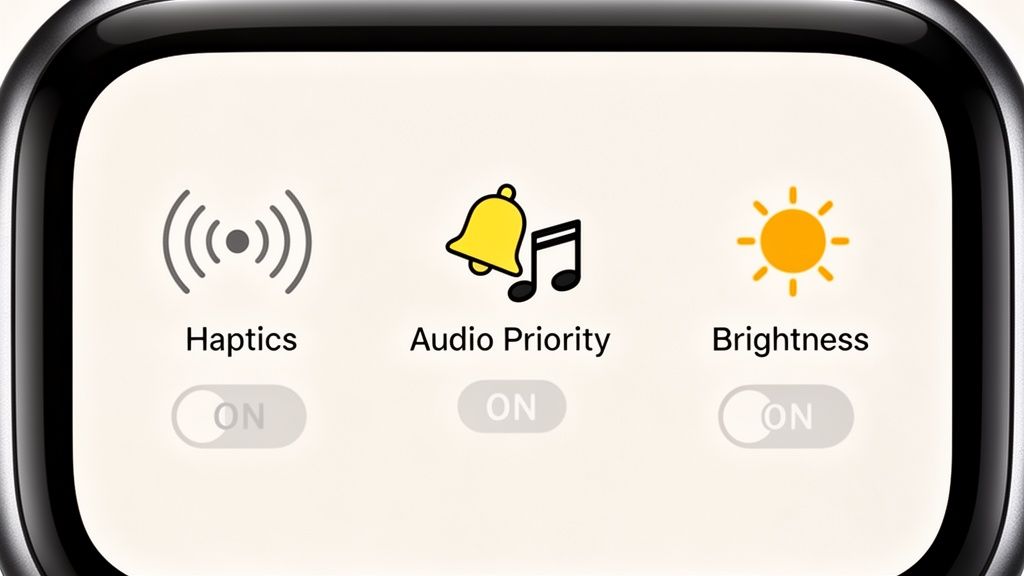
Go to your Watch settings, tap Sounds & Haptics, and switch Haptic Alerts to Prominent. This delivers a stronger, more distinct tap that cuts through fatigue and signals it’s time to work.
Fine-Tuning Audio and Display
Next, audio. A timer alert drowned out by your workout playlist is a critical failure. In your Workout app settings, find options to prioritize alerts. This ensures the beep plays over your music without stopping the track, so you never miss a cue.
Finally, the display. You don't want the screen to dim when you glance down for your time. Go to Settings > Display & Brightness > Always On and enable it. This keeps the screen lit throughout your workout, providing the information you need without requiring you to flick your wrist or tap the screen.
These settings transform your watch from a passive tracker into an active coach. When you’re deep in a high-effort state, you need reliable cues, not distractions. A properly configured watch delivers them.
Optimizing these core functions is critical. For anyone serious about pushing their limits, a reliable system is everything. A properly configured device is a cornerstone of effective training, and a dedicated HIIT timer app can further streamline the process.
Practical Timer Setups for Different Training Styles
Theory is one thing, but application is what matters. The point of an interval timer on Apple Watch is to adapt to your training, not the other way around. Here is how to set up your watch for common high-intensity protocols.
For HIIT and CrossFit Athletes
When a workout is about intensity and precision, you can't use clunky controls. For a classic EMOM (Every Minute On the Minute), the built-in Workout app is inadequate. You need a dedicated app that lets you instantly set a repeating one-minute timer with an unmistakable alert.
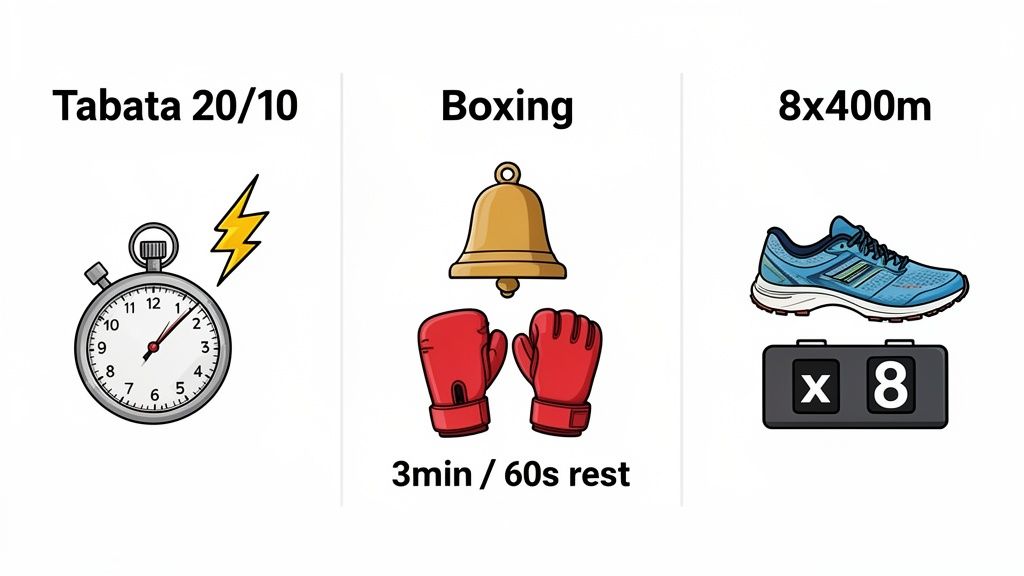
The same applies to Tabata. You need eight rounds of 20 seconds of work followed by 10 seconds of rest. Building this from scratch in the Workout app every time is inefficient. A quality third-party app with a Tabata preset gets you working in seconds, preserving focus and momentum in a loud gym.
For Boxing and Combat Sports
Timing here is simple but strict: hard rounds, fixed rest. For 3-minute rounds with a 60-second rest, the native app fails on two requirements: loud, distinct alerts and a warning cue.
A specialized timer app provides a 10-second warning bell before the end of each round—the critical signal to empty the tank. Better yet, you can save this "3-min/1-min" protocol to launch the entire session with a single tap.
The goal is to replicate the structure of a real fight. The timer should manage the clock so you can focus entirely on technique and output. A generic workout timer does not provide the correct cues for this work.
For Runners and Endurance Athletes
Track work demands discipline. For a classic workout like 8x400m repeats with 90-second recovery jogs, the native custom workout feature is a solid choice. You can build a repeating block with a distance-based interval followed by a time-based recovery. It handles this specific scenario well.
That said, many runners still opt for a dedicated timer app for its superior feedback and data. While trends show that Apple Watch users are committed to their fitness goals, having the right tool is key. For a runner, that means a tool that executes their plan flawlessly, every time.
Answering Your Top Interval Timer Questions
When you're trying to execute a workout, your tech shouldn't get in the way. Here are direct answers to practical issues athletes face when using an interval timer on their Apple Watch.
Can I Listen to Spotify and Use the Timer?
Yes, but effectiveness depends on the app. The native Workout app’s alerts can be drowned out or awkwardly interrupt music, which is a major distraction mid-set.
Dedicated timer apps are built to solve this. They run cleanly in the background, allowing you to manage Spotify or Apple Music while ensuring every timer cue comes through loud and clear. This means you never miss a haptic or audio signal, which is critical for maintaining intensity.
Are the Haptics Strong Enough for Intense Workouts?
They are, if configured correctly. The default buzz is too subtle to notice during high-impact movements like box jumps or sprints.
Go into your Watch's Sounds & Haptics settings and switch Haptic Alerts to "Prominent". This significantly increases the vibration strength. A good third-party app will also use distinct, powerful haptic patterns for different cues—one for "start" and another for "rest"—making them far more noticeable than the generic buzz of built-in apps.
What’s the Fastest Way to Set Up a Tabata Timer?
Using the native Workout app to build a Tabata workout is inefficient. You have to manually create a custom workout with eight repeating blocks of "20 sec work" and "10 sec rest." It is slow and clunky.
A dedicated timer app is the solution. Most have a preset "Tabata" button that instantly loads the classic 8 rounds of 20/10 intervals. This lets you go from planning your workout to doing it in seconds, eliminating friction when you just need to get the work done.
Stop fighting your timer and start focusing on your training. The KNTC interval timer is built for athletes who demand speed, clarity, and reliability. Go from a single tap to training in under eight seconds. Try it free and train harder with less friction.
Lower Body HIIT Workout: Build Explosive Power and Endurance
Discover a focused lower body hiit workout to boost power, speed, and endurance with clear progressions and proven routines.
The Interval Training Timer App Built for Performance
Stop using a basic stopwatch. Discover the essential features your interval training timer app needs for HIIT, CrossFit, and running to maximize every session.