
The Running Interval Timer App Built for Serious Training
Stop guessing your 400m splits. Stop fumbling with a basic stopwatch during Fartleks. If you're still manually timing your intervals, you're compromising your workout. A dedicated running interval timer app isn't a gadget; it's a fundamental training tool that eliminates the mental drag so you can focus on one thing: work.
Your Stopwatch Is a Crutch
Using a standard stopwatch for structured training is like trying to build a house with a multi-tool. It might work, but it's inefficient, sloppy, and limits your potential.
During a hard session, your focus should be on form, breathing, and effort—not glancing at a tiny screen, calculating your next interval, or trying to remember if that was round six or seven. That mental overhead is a direct tax on your performance.
Every second you spend managing the clock is a second you're not fully engaged in the work. This distraction leads to common errors that sabotage your progress.
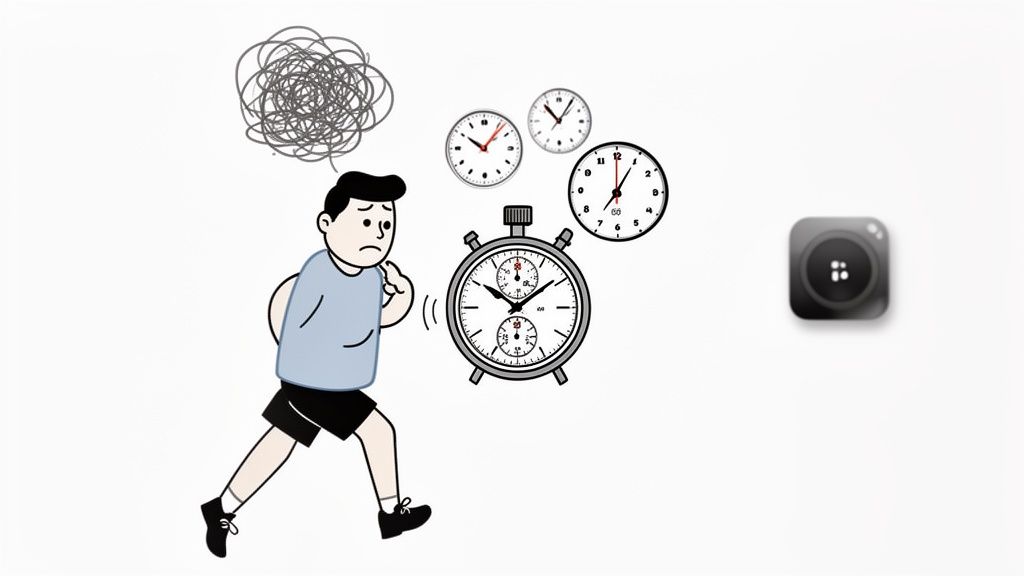
The Downsides of Manual Timing
Manual timing introduces inconsistencies that corrupt your training data and undermine the physiological stimulus of the workout. We’ve all done it—you hit the lap button a second late, and a planned 60-second rest becomes 63 seconds. Over 10 rounds, those errors accumulate, fundamentally altering the session's intent.
Here’s what you’re battling:
- Inconsistent Rest Periods: Manually starting and stopping guarantees sloppy rest intervals, directly compromising the goal of the workout.
- Mental Fatigue: Tracking rounds and times is a cognitive load. That's energy that should be spent maintaining pace and technique under duress.
- Poor Pacing: Without clear, automated cues, it's difficult to properly gauge your effort or prepare for the next hard interval.
This is why a purpose-built tool like the KNTC timer is non-negotiable. It automates work, rest, and rounds, offloading the mental admin so you can execute. There's a reason the running apps market, valued at USD 695.2 million, is exploding; athletes require precision tools with loud audio cues and vibration alerts to stay locked in.
The point isn't to add tech. It's to use the right tech to remove distractions. A proper interval timer lets you get in the zone and execute, knowing the clock is handled.
Ultimately, a solid running interval timer app makes your training consistent and measurable. To see how this applies beyond running, learn more about how an interval training timer app can transform your workouts.
Dialing In Your Timer for Flawless Execution
A good running interval timer app is a powerful tool, but only if you configure it correctly. Quiet alerts or messy presets just swap one distraction for another. The goal is to set the tech and forget it, moving from app open to workout start in seconds.
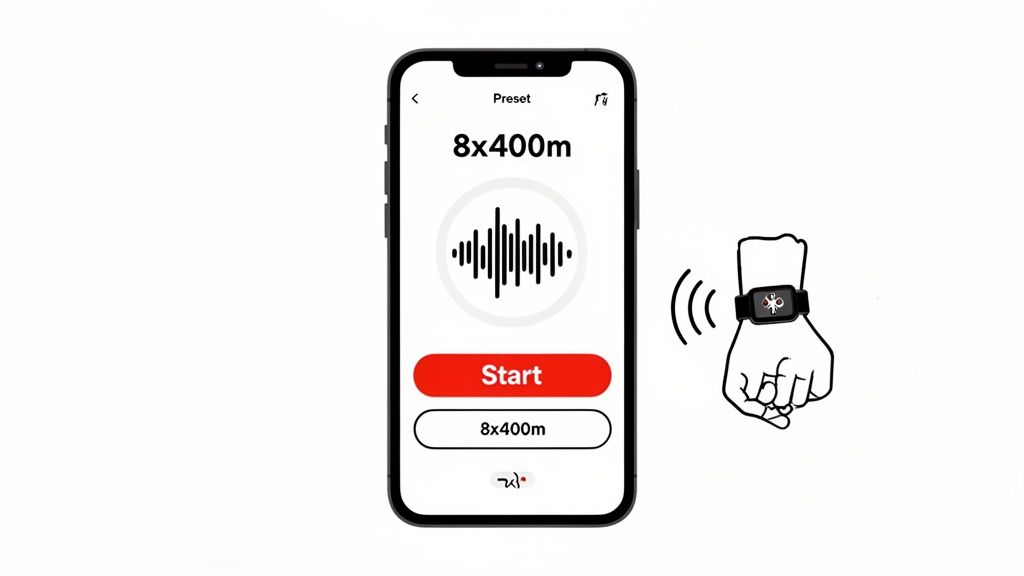
This isn’t about tweaking every setting. It’s about nailing the core functions that matter when you’re breathing hard and need a clear, unmistakable signal to go or to recover. I focus on three areas.
- Audio Cues: Find a sound that is loud and sharp enough to cut through music, gym noise, or your own labored breathing. A piercing beep is more effective than a gentle chime.
- Haptic Feedback: On a watch, this is essential. A strong, distinct vibration for "work" and "rest" provides a tactile cue you can't miss. It’s critical for track work or group training where sound isn't reliable.
- Visuals: Demand a high-contrast display. When you glance at your device mid-stride, you need to register the time instantly, not decipher a busy, colorful screen.
Creating and Saving Your Go-To Workouts
The real efficiency of a dedicated timer app is its ability to eliminate decision fatigue. You should never be building a workout from scratch right before you start. Create presets for your staple sessions to launch your training with a single tap.
Here’s how to build a classic track workout: 8x400m repeats with 90 seconds of rest, using the KNTC app.
- Select Interval Mode. This is the standard for any work/rest session.
- Set the Work Time. Input 90 seconds (or your target 400m pace).
- Set the Rest Time. Input 90 seconds for recovery.
- Set the Rounds to 8.
- Save as Preset. Name it something logical like "400m Repeats" or "Track Day."
Done. The workout is locked in. Next Tuesday at the track, you open the app, tap the preset, and go. The mental energy you would have spent on setup is gone.
The objective is to make starting a workout frictionless. Pre-programming your sessions removes the small hesitations that can kill motivation before you even start moving.
Take the time to program your core workouts: Tabata sprints (20s on, 10s off, 8 rounds), mile repeats, or custom HIIT circuits. This is especially critical for smartwatch users. For a deeper dive, read our guide on using an interval timer on Apple Watch.
By investing a few minutes in setup, you conserve your mental bandwidth for what counts—the work itself. Your timer should be a silent partner, guiding you reliably without demanding your attention.
Choosing the Right Mode for the Workout
A proper running interval timer app is more than a stopwatch. It's a toolkit. Modes like Interval, EMOM, and Countdown are specialized instruments. Selecting the right one is critical because it dictates the structure and stimulus of your workout, whether the goal is speed, endurance, or metabolic conditioning.
Using the wrong timer mode compromises the effectiveness of your training. A basic stopwatch is fine for a steady-state run, but for structured work, you need the right tool.
Interval Mode: The Workhorse
This is the default for most runners. The Interval mode is designed for any workout with defined periods of work and rest. It’s the standard for classic track sessions or high-intensity repeats where recovery is as crucial as the effort.
It’s built for workouts like:
- 400m Repeats: Set your target run time as "Work" and your recovery jog as "Rest." The app manages the rounds, so you just focus on hitting your splits.
- Hill Sprints: Program the all-out uphill burst and the slow walk-down recovery. No more guessing when to turn around.
- Tabata Runs: Precision is everything. Lock in the 20 seconds of max effort and 10 seconds of rest, and let the app enforce the protocol.
EMOM: Building Pacing and Discipline
EMOM (Every Minute On the Minute) is not just for CrossFit. For runners, it's an exceptional tool for developing discipline and a precise sense of pacing. The structure is simple: perform a set task at the start of each minute. The remaining time is your rest.
This format forces you to be honest about your speed and recovery. If a 200m sprint takes 40 seconds, you get 20 seconds of rest. It's a self-regulating system that builds your capacity to work under fatigue. It's highly effective for shorter, faster repeats where managing shrinking rest periods is part of the challenge.
The value of different modes is how they frame your effort. An EMOM creates a different physiological and mental stress than a standard interval, forcing you to recover on the clock and hit the next round on a non-negotiable schedule.
Countdown and Stopwatch: For Sustained Efforts
The Countdown mode is for time trials and tempo runs. Instead of breaking the workout into pieces, it sets a single, fixed duration for a sustained block of effort. To hold your tempo pace for 20 minutes, just set the countdown and run.
And the Stopwatch is for the simplest task: timing a single, uninterrupted effort. Use it for a mile PR attempt or a casual recovery run where only the total time matters. It removes all complexity when you just need to run.
This table matches the right timer mode to your workout.
Workout Protocol vs. Timer Mode
| Workout Protocol | Recommended Timer Mode | Why It Works |
|---|---|---|
| 400m / 800m Repeats | Interval | Clearly separates hard work from recovery periods. |
| Fartlek / Unstructured Play | Interval or Stopwatch | Use Interval for structured Fartlek (e.g., 2 min hard, 1 min easy) or Stopwatch for "run by feel." |
| Tempo / Threshold Run | Countdown | Set a target duration (e.g., 20 minutes) and focus only on maintaining pace. |
| Tabata Sprints | Interval | The strict 20s on / 10s off protocol is precisely what this mode is designed for. |
| Short Sprints (100m / 200m) | EMOM | Forces quick recovery and consistent effort on a tight, repeating schedule. |
| Mile Time Trial | Stopwatch | A simple start-to-finish timer for a max effort attempt. |
Having these modes gives you the precision required to maximize every session. The fitness app market is projected to hit USD 10.5 billion by 2026, largely because athletes demand this level of structure. You can review the data in the fitness app market trends at KBV Research. By selecting the right mode in your running interval timer app, you ensure every workout has a clear purpose and a measurable outcome.
Setting Up Your Go-To Running Workouts
Let's get practical. Knowing the functions is one thing; applying them on the track is what matters. A solid running interval timer app translates your training plan into a perfectly executed session, letting you focus on the work.
We’ll program four classic running workouts. The concepts apply to any capable timer, but the examples use the KNTC app. You'll see how quickly you can build, save, and launch complex routines.
This flow chart shows how different timer modes are designed to structure your runs.
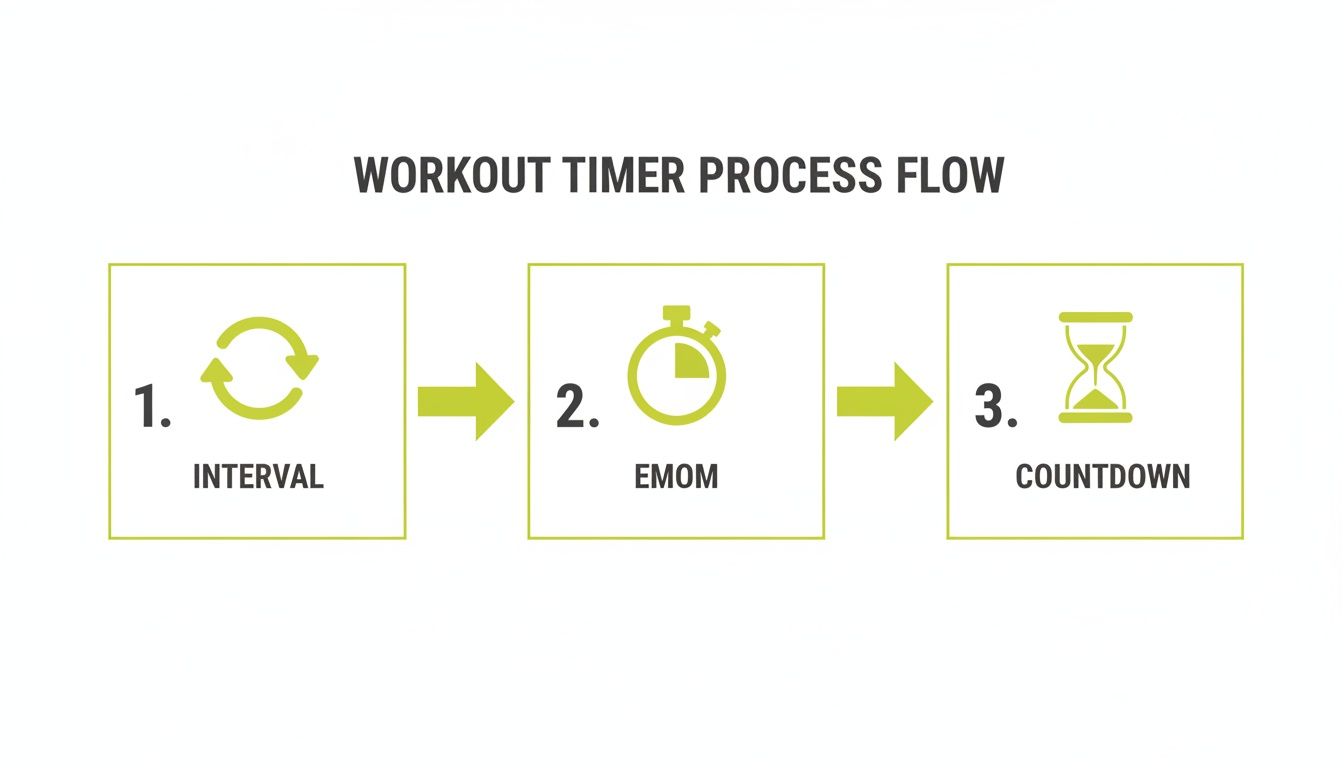
Each mode—Interval, EMOM, and Countdown—is a tool for a specific job, whether you're hitting short repeats or locking into a sustained pace.
Classic 400m Repeats (Using Interval Mode)
This workout is a staple for developing speed and lactate tolerance. The timing must be precise, making Interval mode the only choice.
Here's a classic 8x400m session with a 1:1 work-to-rest ratio:
- Mode: Interval
- Work: 1 minute, 30 seconds (or your target 400m time)
- Rest: 1 minute, 30 seconds
- Rounds: 8
Once programmed, save it as a preset named "400m Repeats." The next time you hit the track, it’s one tap and go. No more fumbling with a stopwatch when your heart rate is redlining.
Fartlek Run (Using Variable Intervals)
Fartlek, or "speed play," is often unstructured. But using a timer can introduce structured chaos that forces adaptation, training you to handle surges and recover on the move.
Here’s a simple pyramid-style Fartlek to program:
- Mode: Interval
- Round 1: Work: 1 minute, Rest: 2 minutes
- Round 2: Work: 2 minutes, Rest: 2 minutes
- Round 3: Work: 3 minutes, Rest: 2 minutes
- Round 4: Work: 2 minutes, Rest: 2 minutes
- Round 5: Work: 1 minute, Rest: 2 minutes
A good running interval timer app allows this level of per-round customization. The benefit is accountability.
A programmed Fartlek prevents "speed play" from becoming a "lazy jog." The automated cues force you to push the pace when you’re supposed to, instead of just cruising.
Running Tabata (For High-Intensity Days)
Tabata is brutally efficient. It delivers a maximum intensity workout in four minutes. The protocol is rigid: 20 seconds of all-out effort, 10 seconds of rest, repeated 8 times. Inaccurate timing negates the benefit.
Setup is simple:
- Mode: Interval
- Work: 20 seconds
- Rest: 10 seconds
- Rounds: 8
This is an excellent protocol for hill sprints or any time-crunched session where the goal is a massive metabolic hit. For more workouts designed to build speed, read our guide on how to improve your running pace.
Tempo Run (With Countdown Mode)
A tempo run is not about intervals. It's about finding a "comfortably hard" pace and sustaining it. This is where the simple utility of Countdown mode excels. It eliminates all other variables, giving you a single target.
Programming a tempo run is straightforward:
- Mode: Countdown
- Duration: 20 minutes (or as prescribed by your plan)
That’s it. Hit start, find your rhythm, and run until the timer signals completion.
By programming these workouts, you remove guesswork from your training. You show up and execute, confident that the session is structured exactly as intended.
Troubleshooting Your Timer Mid-Workout
It happens. You're deep into a session, and your interval timer app fails. It’s frustrating and kills momentum. But most issues are simple fixes.
The most common problem: you can't hear the cues over your music. You finish a 400m repeat, your music is blasting, and you miss the signal to start recovery. This is a phone settings issue, not an app flaw. Go into your phone’s settings, find the timer app, and ensure it has permission to play audio over other apps and run in the background. Good apps use sharp sounds designed to cut through noise, but they need permission to work.
Another frequent issue: the app stops mid-interval. This is almost always an aggressive battery-saving feature on your phone shutting down what it perceives as an inactive app. The fix is to go to your phone's battery settings, find the app optimization list, and exempt your timer app. This allows it to run for the duration of your workout.
Staying in Control at Your Limit
Technical glitches are one thing, but user error under fatigue is another. When you're exhausted, tapping a small button on a screen is a high-skill task.
This is where app design is critical. A clean, high-contrast display with large, responsive buttons—like the interface on the KNTC app—is essential. You need to be able to make changes without breaking stride.
An app’s interface is truly tested at your physical limit. You need big buttons you can hit with a tired thumb, not a delicate touch that’s impossible when you’re gasping for air.
Finally, if your watch buzzes at a different time than the audio cue, you have a Bluetooth sync issue. The fastest fix is the universal one: restart both your phone and your watch before you start. A stable connection is critical when you rely on that haptic feedback to nail your pacing.
Using Data to Build Unbreakable Consistency
Starting the timer is easy. Building the consistency that drives real progress comes from tracking the work. A good running interval timer app does this automatically, creating a simple log that becomes a powerful motivational tool.
This isn't about getting lost in complex analytics. It's about focusing on a few key metrics that prove you're putting in the work.
The most effective data points are the simplest:
- Total Minutes Trained: Watching this number grow week over week provides a tangible sense of accomplishment. It's proof that your effort is accumulating.
- Workout Frequency: A simple calendar view showing your training days creates a visual chain you won't want to break.
- Monthly Activity Logs: A quick review of the past month provides an honest, at-a-glance assessment of your adherence to the plan.
The Psychology of Visual Feedback
This simple feedback loop is effective, especially for solo athletes. Seeing your effort logged visually—a colored square on a calendar, a running total of training minutes—provides a powerful psychological reward. It's concrete evidence that the hard work is compounding.
This is the core of habit formation: action, reward, repeat. Here, the reward is the immediate, visual confirmation of a completed session. It’s a surprisingly effective tool for accountability.
Seeing your workout streak on a calendar is more than data; it's a visual contract with yourself. It makes skipping a session feel like a tangible loss, pushing you to train on days when motivation is low.
This is why integrated interval timers have been a game-changer for accountability in running apps. Data shows that runners using structured intervals have 20-30% higher adherence rates. The fitness app market is booming, projected to hit USD 33.58 billion by 2033, as wearables make features like haptic feedback standard. You can find more data on these fitness app market trends on Grandview Research.
Apps like KNTC are built on this feedback loop. The process is seamless: you train, the app logs the work, and you see your consistency laid out. It’s a simple, honest system that builds momentum for the next workout.
Ready to build unbreakable consistency? Download the KNTC timer and turn your hard work into visible progress. Get started for free at https://www.kntctimer.com.
The Simple Interval Timer App Built for Serious Training
Cut through the noise with a simple interval timer app designed for HIIT, CrossFit, and boxing. Discover the essential features for focused, effective training.
The Best Free Workout Timer App for Serious Athletes
Ditch your phone's stopwatch. Discover the best free workout timer app to perfectly execute your HIIT, CrossFit, and boxing workouts with precision and focus.