
Find the Best Free HIIT Timer App for Serious Training
For anyone who takes training seriously, a solid free HIIT timer app is essential gear. It delivers a level of precision and structure your phone's basic stopwatch can't match. The objective is to manage complex work-to-rest protocols without pulling you out of the zone.
For a focused athlete, a tool like this is non-negotiable.
Why Your Training Demands a Better Timer
Stop letting a clumsy phone stopwatch compromise your workout. When you're deep in a WOD or pushing through the final sprint, every second counts. Fumbling with a generic timer kills momentum and focus. That's why for serious athletes, a dedicated HIIT timer is a fundamental piece of training equipment, not just another app.
This guide cuts through the noise and shows you exactly what to look for in a free HIIT timer app. We'll break down the mission-critical features you need to execute protocols like Tabata, EMOMs, or any interval structure with absolute precision. When performance is on the line, there's no room for guesswork.
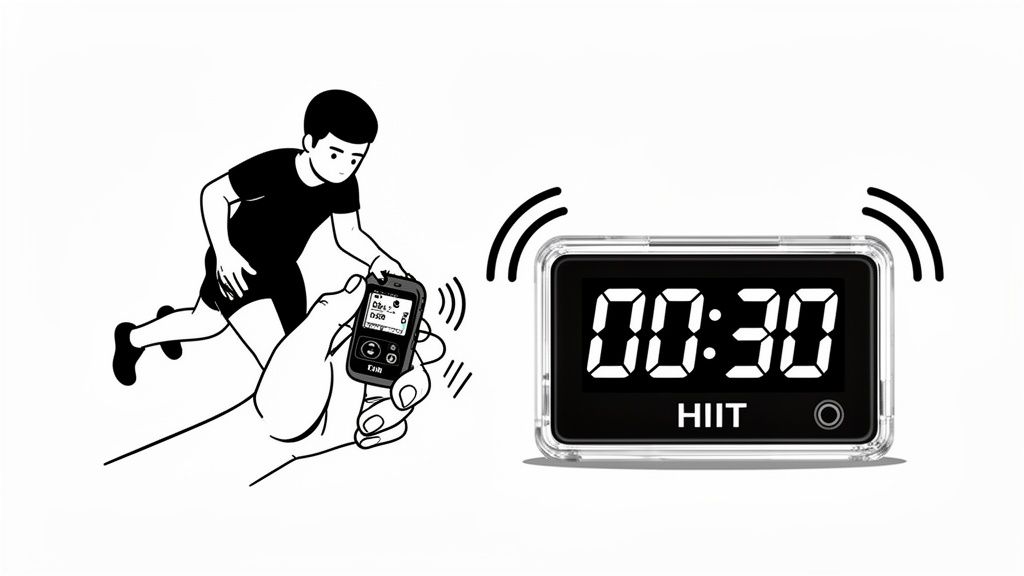
Ditch the Stopwatch Mentality
A simple stopwatch just measures elapsed time. A performance timer structures your effort. That distinction is critical when you're managing fatigue and pushing your limits. The right app removes the mental load of clock-watching so you can pour all your concentration into your output.
You'll find that features you might have dismissed as "extras" are actually essential for maintaining pace and focus, especially under physical stress.
- Loud, Clear Audio Cues: You need distinct, unmissable sounds for "work" and "rest." This lets you train by ear, keeping your eyes on form instead of a screen.
- Strong Haptic Feedback: Vibrations you can feel mid-burpee are a game-changer, especially in a loud gym or with headphones on.
- Large, Readable Display: A high-contrast screen with huge digits should be easily visible from across the gym. No squinting or walking over to check the time.
A quick comparison makes it obvious why your standard phone app doesn't cut it for real training.
Performance HIIT Timer vs Standard Phone Timer
| Feature | Performance HIIT Timer App | Standard Phone Stopwatch/Timer |
|---|---|---|
| Interval Programming | Fully customizable work/rest/round settings. | Single countdown or count-up only. |
| Audio/Haptic Cues | Loud, distinct, and configurable sounds/vibrations. | Generic, quiet beeps. Often no haptics. |
| Presets & Saving | Save complex workouts (Tabata, EMOM) for one-tap starts. | No ability to save custom timers. |
| Large Display | Designed to be read from a distance during exercise. | Small digits, not designed for at-a-glance viewing. |
| Background Operation | Runs reliably with the screen off or other apps open. | Often pauses or fails in the background. |
The functional gap is massive. One is a professional tool, the other is a basic utility.
Your timer should be an invisible partner in your workout—reliable, precise, and completely out of your way. Its only job is to enforce the structure you’ve set, allowing you to focus 100% on the work.
The goal is to find a tool that supports your training, not one that complicates it. Let’s find an app that works as hard as you do.
What to Look For in a Great HIIT Timer
Not all free apps are created equal. Many are bogged down with ads, clunky interfaces, or features that just get in the way. For hard training, you need a tool that’s functionally invisible—a reliable partner that handles the clock so you can focus on the work.
Think of it this way: you can turn a bolt with a wobbly adjustable wrench, or you can use a calibrated torque wrench. Both might get the job done, but only one does it with precision. A great free HIIT timer app is that torque wrench for your workout, built on non-negotiable features that provide the structure to push your limits.
Precision and Clarity Above All
When you’re maxed out in a VO2 session, the timer's accuracy is everything. A two-second lag from sloppy code can derail an entire set. The best apps are built for precision, ensuring your work and rest periods are exactly what you programmed.
That precision is useless without clarity. The display is your command center, and it has to be clear when you're under pressure.
- Massive, High-Contrast Digits: You need to glance at the time from across the room, even with sweat in your eyes. A big, bright display that works in both portrait and landscape mode is essential.
- Minimalist Interface: During a workout, you only need to know three things: work or rest, time left in the interval, and current round. Anything else is noise that saps focus.
Cues You Can Hear and Feel
You can't go all out if you’re constantly staring at your phone. A timer’s job is to signal transitions without you needing to look at it. This is where audio and haptic feedback become critical.
The best timers let you train by ear and feel. This frees up mental energy to focus on form, breathing, and effort—where real progress happens.
Loud, distinct audio cues are your first line of defense. A sharp beep for "GO" and a different tone for "rest" provides instant context. The second layer is strong haptic feedback—a vibration you can feel through the floor or in your pocket, cutting through the loudest gym playlist.
This functionality is what athletes value. User reviews consistently point to reliability in these core features. Apps with powerful haptics and large landscape displays often hold a 4.5-star average, with users reporting flawless 31-minute sessions mixing warmups and intervals.
Data shows that 75% of CrossFitters and MMA fighters rely on these cues for pacing. It's been shown to reduce timing errors in a classic Tabata protocol (20 seconds on, 10 seconds off) by as much as 22% per session.
Finally, the app must run perfectly in the background. A timer that dies when your screen locks or you switch to a music app is worthless. A dependable free HIIT timer app must be a workhorse, running seamlessly so you never miss an interval.
Understanding Advanced Timer Modes for Your Goals
The basics are covered. But a truly great free hiit timer app isn’t just a stopwatch. The real value is using its advanced modes to attack specific training goals. A simple timer just measures duration; these specialized modes enforce the structure that drives adaptation.
Choosing the right mode is the difference between just getting sweaty and executing a calculated strike on your performance limits. These aren't just bonus features—they're training philosophies baked into the software, giving you a framework to manage output, pace under fatigue, and push your metabolic engine.
Let's break down the common modes every serious athlete should have in their toolkit.
Classic Interval Training: Work and Rest
This is the foundation of high-intensity training. The classic "Work/Rest" interval mode lets you set a specific time for effort, a specific time for recovery, and repeat for a set number of rounds. It's the engine behind protocols like Tabata and a must-have for improving your aerobic and anaerobic capacity.
The concept is simple: go hard at an intensity you can't hold, recover just enough to go again. This cycle forces your body to become more efficient at producing energy and clearing metabolic byproducts.
- For a boxer: Simulate a fight by programming 3-minute work intervals with 1-minute rest periods for 12 rounds.
- For a runner: Build VO2 max with 3-minute work intervals (800m repeats) followed by 3-minute active recovery jogs, repeated 6 times.
EMOM: Building Work Capacity
EMOM stands for Every Minute On the Minute. At the top of each minute, you perform a set amount of work. The remaining time is your rest. When the next minute starts, you go again.
This structure is brutally effective for building work capacity and practicing skills under accumulating fatigue. As you tire, your work takes longer, shrinking your rest periods. This forces you to maintain efficiency and clean movement when you’d rather get sloppy.
If you want to go deeper, we've put together a full guide on how to use an EMOM timer app effectively.
An EMOM doesn't test your single best effort; it tests your ability to consistently repeat a quality effort when gassed. It's a true measure of your capacity to sustain high output.
A classic example for a CrossFitter is a 15-minute EMOM with an odd/even structure. Odd minutes: 15 calories on the rower. Even minutes: 10 burpees. The clock is relentless and teaches disciplined pacing.
This flowchart shows how core features like loud audio cues or a big display are critical depending on your training style and environment.
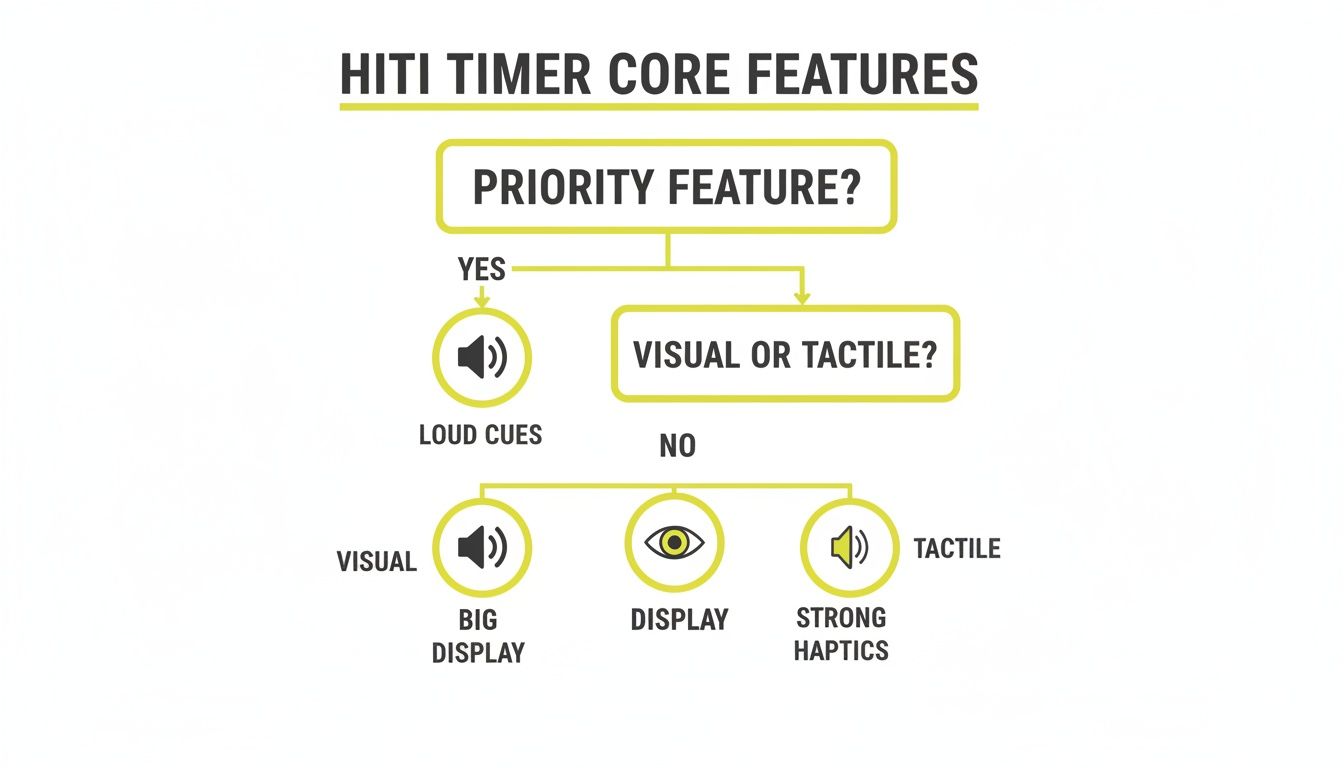
As you can see, the "best" features are entirely personal—it all comes down to whether you train by ear, by sight, or by feel.
AMRAP: Pushing Your Endurance Limits
AMRAP means As Many Rounds As Possible. You set a fixed time cap—say, 20 minutes—and complete as many rounds of a circuit as possible before the clock runs out. This is a pure test of endurance, pacing strategy, and mental toughness.
Unlike an EMOM, which forces a pace on you, an AMRAP puts you in control. The challenge is finding your red line and riding it without blowing up. You have to push hard enough to maximize your score but not so hard you burn out with five minutes left. It's an excellent tool for benchmarking fitness and tracking progress.
For instance, a classic CrossFit benchmark is a 20-minute AMRAP of 5 pull-ups, 10 push-ups, and 15 air squats. Your score is the total number of rounds and reps completed.
Which Timer Mode Is Right for Your Workout
Not sure which mode to choose? Each serves a different purpose. This table breaks down the most common timer modes to help you pick the right one for today's session.
| Timer Mode | Primary Use Case | Ideal For |
|---|---|---|
| Interval | Developing specific energy systems (anaerobic/aerobic) | Runners, boxers, swimmers, and sprint-style workouts |
| EMOM | Building work capacity and skill consistency under fatigue | CrossFitters, weightlifters, and athletes practicing technical movements |
| AMRAP | Testing and improving metabolic conditioning and mental toughness | Anyone benchmarking fitness and pushing endurance |
| For Time | Measuring pure speed and power output for a set task | Competitive athletes, benchmark WODs (e.g., "Fran," "Grace") |
| Tabata | Maximum intensity anaerobic conditioning in a short time | Trainees short on time who want to maximize calorie burn and EPOC |
The best athletes know how to use all these tools. Matching the right timer mode to your daily goal ensures every minute of your workout is productive.
How to Structure Your Workouts for Maximum Impact
Having a great tool is one thing; knowing how to use it separates random effort from real progress. A precision free HIIT timer app provides the framework to execute proven training protocols, so you can stop guessing and start building sessions that hit specific goals.
This section is about application. Here are ready-to-use templates you can plug directly into your timer. Use them as is or tweak them to fit your needs. No abstract theory, just actionable plans.
For the CrossFit Athlete
If you do CrossFit, intensity and measurable results are everything. A reliable timer is non-negotiable. Whether you're hitting a benchmark WOD or grinding through capacity work, the clock creates the stimulus.
Here’s a classic structure for building consistency under fatigue.
Protocol: 12-Minute EMOM (Every Minute On the Minute)
- Goal: Build skill endurance and manage fatigue.
- Workout:
- Minute 1 (Odd): 15 Wall Balls
- Minute 2 (Even): 12 Toes-to-Bar
- Timer Settings:
- Mode: EMOM
- Time per Round: 1 minute
- Total Rounds: 12
The objective is to finish the work quickly enough to get adequate rest before the next minute starts. The timer is your pacer, forcing efficient movement when you would otherwise slow down.
For the Endurance Athlete
For runners, cyclists, and rowers, intervals are the key to building a bigger engine. Sessions designed to boost VO2 max—your body's ability to use oxygen—demand absolute precision. A sloppy phone stopwatch won’t cut it when every second of recovery counts.
Protocol: 6 x 400m Repeats
- Goal: Increase VO2 max and push lactate threshold.
- Workout: Run 400 meters at a fast, repeatable pace, then recover for the same duration.
- Timer Settings:
- Mode: Intervals
- Work Time: Your target 400m time (e.g., 90 seconds)
- Rest Time: The same duration for active recovery (e.g., 90 seconds)
- Rounds: 6
This 1:1 work-to-rest ratio is a brutally effective way to raise your aerobic ceiling.
Using a timer for specific protocols removes mental bargaining. When you're in the pain cave, you don’t get to decide to rest an extra 10 seconds—the timer makes the decision, keeping you honest and ensuring you get the intended stimulus.
For the Combat Athlete
Fighters—boxers, MMA athletes, martial artists—need to train like they compete. That means explosive bursts followed by short, disciplined recovery. Your conditioning should mirror the structure of a fight.
Protocol: Championship Rounds
- Goal: Build the endurance to stay explosive round after round.
- Workout: 5 rounds of heavy bag work, shadowboxing, or drilling.
- Timer Settings:
- Mode: Intervals (or Rounds)
- Work Time: 3 minutes
- Rest Time: 1 minute
- Rounds: 5
For General Fitness and HIIT
The Tabata protocol is famous for a reason: it’s one of the most efficient ways to build anaerobic fitness in minimal time. The structure is simple: 8 rounds of 20 seconds of all-out work, followed by 10 seconds of rest. That’s just 4 minutes per exercise.
Protocol: 20-Minute Full-Body Tabata
- Goal: Maximize calorie burn and improve anaerobic capacity.
- Workout: Cycle through 4 different exercises, completing a full Tabata interval for each.
- Air Squats
- Push-Ups
- Kettlebell Swings
- Burpees
- Timer Settings:
- Mode: Tabata (or Intervals)
- Work Time: 20 seconds
- Rest Time: 10 seconds
- Rounds: 8 (for each exercise)
These templates show how a free HIIT timer app can turn training principles into something you can execute right now. Pick a protocol, set the clock, and get to work.
Why Simplicity and Speed Beat Complex Features
When you're deep into a set, the last thing you want is to fiddle with a complicated app. Navigating a custom workout builder between rounds kills momentum and intensity. The best timers understand this; they're built for speed and simplicity, not a mountain of features you'll never touch.
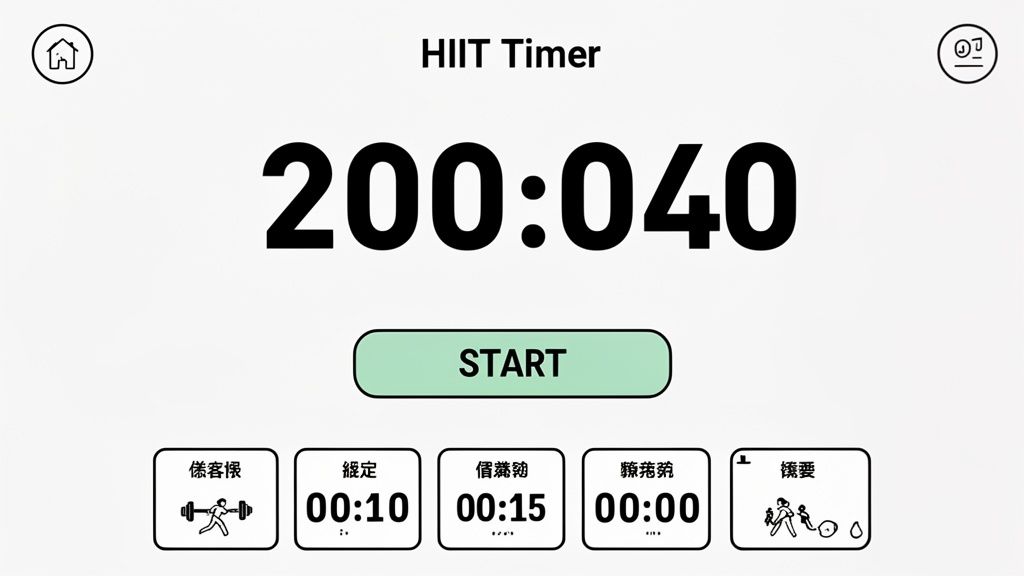
The philosophy behind a performance-focused app is to eliminate friction. You should be able to walk into the gym, tap a preset, and start your workout in seconds. This saves your mental energy for the training itself, not for navigating a menu system.
The Problem with Endless Customization
Many apps try to be a Swiss Army knife, crammed with customization options, complex workout builders, and detailed analytics. In the real world, this creates a barrier to getting started. It introduces decision fatigue right when your focus needs to be on the physical work.
Your timer should be an invisible, reliable tool, not a project.
A minimal interface that shows only what's essential—time remaining and current interval—is a deliberate performance choice, not a lack of features. It's about subtracting noise so you can add intensity.
A great free HIIT timer app gets out of your way. It understands that under fatigue, your brain is already maxed out. Complex on-screen elements are counterproductive. The goal is to make the technology fade into the background so you can concentrate on form and output. We've talked before about why a simple interval timer app is often the superior choice for serious training.
Precision Is the Only Feature That Truly Matters
This "less is more" approach has changed training for everyone from marathon runners to MMA fighters. At the end of the day, the one thing that matters is precision. Studies show that timers accurate to the millisecond can improve workout adherence by 28%, helping you execute protocols like AMRAP or specific countdowns without breaking rhythm. This is especially true when an app can run flawlessly in the background with music, as features ensuring 92% of users hear every beep can slash workout drop-off rates by 35%. You can find more stats at AppStoreSpy.com.
Ultimately, you don't measure a timer's value by its feature list. You measure it by how well it does its one job.
- Speed: Can you start your workout instantly?
- Clarity: Can you read the display at a glance from across the room?
- Reliability: Can you trust its audio and haptic cues without a second thought?
If the answer is yes to all three, you've found a tool built for performance. Complexity is the enemy of intensity. Choose the tool that respects your focus and your time.
Frequently Asked Questions
When you're in the middle of a hard effort, you need a tool that just works. Here are answers to common questions from athletes looking for a free HIIT timer app that can keep up.
Can a Free HIIT Timer App Be as Good as a Paid One?
Yes. A timer’s value is in its function, not its price. Many free apps nail the essentials: precision, clear audio cues, and core modes like EMOM and Tabata.
Paid apps might offer large libraries of pre-made workouts or cloud backups. But if you program your own sessions, a rock-solid free app that gets the fundamentals right is often all you need. Focus on reliability, not a long feature list. The best tool gets out of your way and lets you work.
What Are the Most Important Settings to Customize?
Dial in three key areas. First, audio cues. You need distinct sounds for work and rest, plus a loud 3-2-1 countdown. The goal is to train by ear. Second, haptic feedback. If you train with loud music, strong vibrations are a must so you can feel the transitions.
Finally, the display. Use a high-contrast theme with huge numbers and enable landscape mode if you set your phone on the floor. These tweaks ensure you get the right signal at the right time, regardless of fatigue or environment.
How Can a Timer App Help Me Break a Plateau?
A good timer is an accountability tool, and that’s how it helps you smash plateaus. Plateaus often happen when intensity drops, rest periods lengthen, or we subconsciously cut a tough interval short. A timer eliminates that.
When you lock in a protocol like Tabata (20s on, 10s off) or a specific work-to-rest ratio, you remove the guesswork. It forces you to stick to the plan and holds you accountable for every second. Each session becomes a measurable test, letting you track real progress and push past old limits.
The global fitness app market has exploded, jumping from $2.1 billion in 2019 to a projected $10.5 billion by 2026. This isn't a trend; it's driven by athletes demanding better tools. Studies show that 70% of users now prefer apps with simple, fast presets because it removes the mental drag before a workout. Discover more insights about fitness app market growth.
Ready to train with a timer built for pure performance? KNTC cuts out the noise so you can focus on the work. Get from a single tap to training in under eight seconds with a powerful, reliable, and completely free HIIT timer app. Download it at https://www.kntctimer.com and feel the difference.