
Master Your Running Interval Training App with This Guide
A solid running interval training app adds structure and precision to your training. It removes the need to watch the clock, letting you focus entirely on your effort. This is about executing a plan, not guessing your way through a workout.
Why Your Training Demands a Dedicated Interval App
Random running only gets you so far. Real progress in speed, VO2 max, or conditioning is built on structured intervals. A simple stopwatch or your phone’s default timer can’t keep up when you're deep in a high-effort set and every second is critical.
The goal is to eliminate the gap between the workout you planned and what you execute. You need a tool that translates your training plan into action instantly. The market for these apps has grown because athletes demand tech that can keep pace with their training. The global running apps market hit USD 695.2 million and continues to expand as athletes seek better training tools.
The Problem with Generic Timers
Most built-in phone timers or bloated fitness apps are cluttered with features you don't need and lack the core functions required for high-intensity training. A dedicated running interval training app solves these critical problems:
- Loud, Clear Audio Cues: You need to hear the start and end of intervals over heavy breathing, music, and gym noise.
- Customizable Presets: Build your go-to workouts once, save them, and launch any session with one tap. No more setting up your 400-meter repeats every single time.
- A No-Nonsense Interface: No social feeds or pop-ups. Just the numbers that matter when you're in the middle of a set.
A great interval app is an extension of your discipline. It’s the tool that holds you accountable to your plan, ensuring every second of work and rest is precise, especially when you're too gassed to think clearly.
This is about freeing up mental energy to focus on the work. Instead of managing the clock, you manage your effort. For a deeper look, check out our guide on selecting the best interval training timer app. Use it as a blueprint for making technology a seamless part of your training.
Dialing In the Perfect Interval Setup
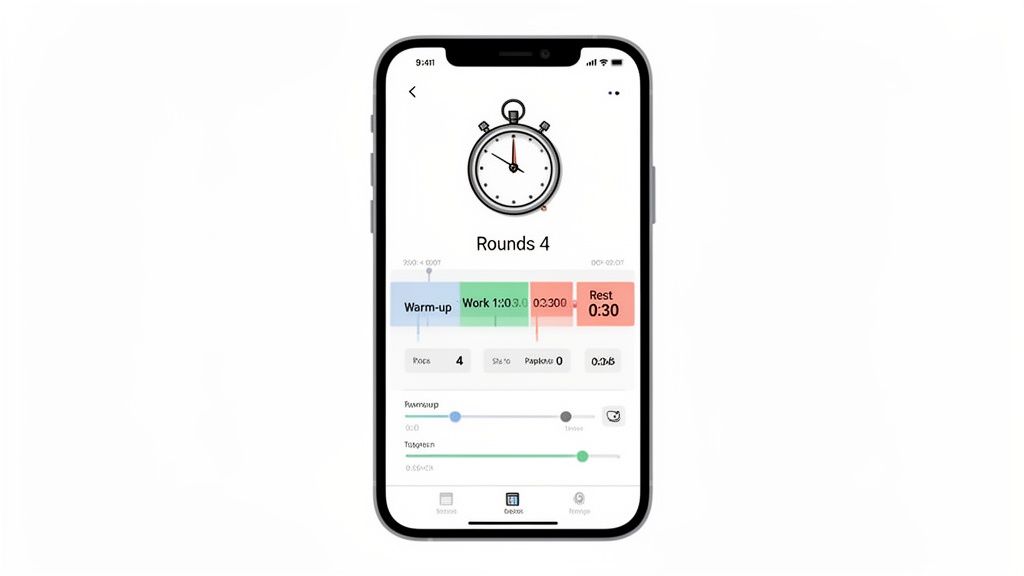
The core of a great interval session is precision. A solid running interval training app removes guesswork, letting you lock in every detail so you can focus on form, not your watch. This is how you turn a workout plan into an automated coach that keeps you honest.
These are your core building blocks. Master them, and you can program any workout.
- Work Interval: The duration of your high-intensity effort.
- Rest Interval: Your recovery time, just as crucial as the work period.
- Rounds: The total number of work/rest cycles.
A key feature is separate Warm-Up and Cool-Down timers. Programming these in means your entire session is managed in one seamless flow. No more fussing with multiple timers.
Core Interval Timer Configurations
The real utility is configuring these settings for specific goals. An app lets you build different workouts using the same basic inputs, each targeting a different physiological adaptation. Here’s how you might set them up.
| Interval Type | Typical App Setup | Training Goal |
|---|---|---|
| High-Intensity (Tabata) | 8 rounds of 20-second work / 10-second rest | Boost anaerobic capacity and power output. |
| Lactate Threshold | 4-5 rounds of 4-minute work / 60-90-second rest | Improve your ability to sustain a hard pace for longer. |
| Endurance Repeats | 6 rounds of 800m work / 400m jog rest | Build aerobic endurance and running economy. |
| VO2 Max | 5 rounds of 3-minute work / 3-minute rest | Increase your body's maximum oxygen uptake. |
A well-designed interval app doesn't just time your workout; it enforces the structure. It’s the accountability partner that stops you from cutting a rep short or taking an extra 15 seconds of rest.
From Track Workouts to CrossFit EMOMs
Versatile interval timers are essential for athletes who mix running with other training. This is where formats like EMOM (Every Minute On the Minute), a staple in CrossFit and functional fitness, become important.
An EMOM is a continuous clock that resets every 60 seconds. You perform your reps at the top of the minute, and the remaining time is your rest. If a set takes 45 seconds, you get 15 seconds of rest. It’s an effective way to build work capacity, as your rest time shrinks as you fatigue.
An app that handles different protocols—and syncs with wearables—is a powerful training tool. To get a hands-free setup, learn how to use an interval timer on your Apple Watch. Master these settings, and you can build any workout, knowing your tech can keep up.
Build Your Workout Library with Custom Presets
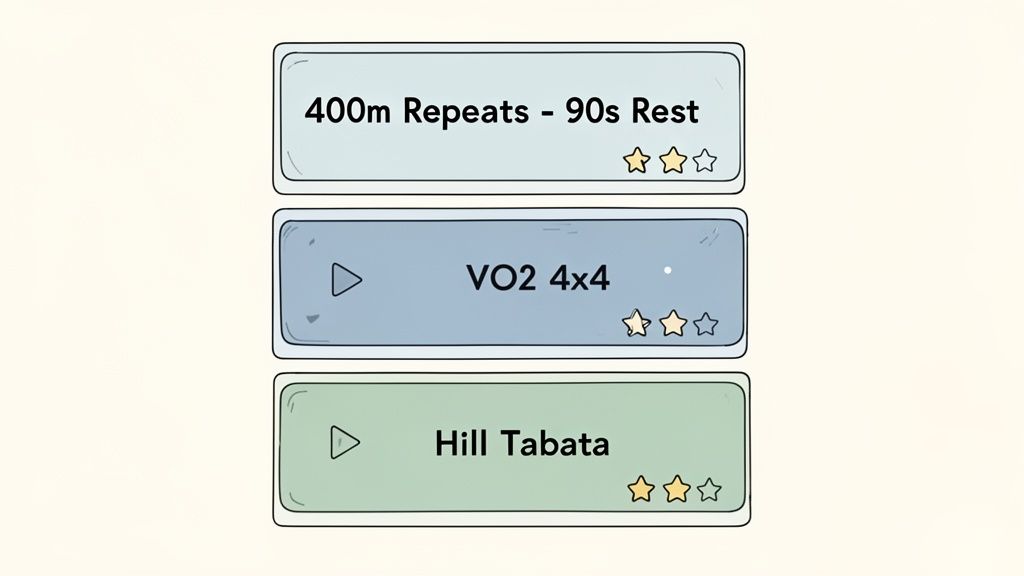
Consistency drives progress, but decision fatigue kills consistency. A key feature of a solid running interval training app is the ability to save workouts as custom presets. This turns your app from a basic timer into a personal training hub.
The goal is to achieve a 'tap-to-train' state. Instead of setting work, rest, and rounds before every run, you build the workout once and save it. For any athlete who relies on specific, repeatable workouts to track progress, this is non-negotiable.
This efficiency is why the market for workout apps for runners is projected to reach USD 2,420.75 million by 2033. Athletes and coaches want features that simplify training, and presets are critical. Saving a few minutes of setup time can be the difference between completing a workout and skipping it. You can learn more about the growth of the running app market to understand this trend.
Blueprint for Your Preset Library
Your preset library is your toolkit. Just as you have different tools for different jobs, your workouts should be organized based on their purpose.
Start by creating presets for your most common sessions. Use a descriptive naming system so you can find what you need instantly.
Examples:
- Speed Work:
400m Repeats - 90s Rest - Endurance:
VO2 Max - 4x4 Protocol - Power/Finisher:
Hill Sprint Tabata
Categorizing your workouts this way allows you to select a session that matches your daily goal without overthinking it.
Your preset library is more than a convenience; it’s an accountability system. When your hardest workouts are one tap away, you remove the excuses that stand between you and the necessary work.
Organizing for Different Training Phases
Training is dynamic, and your preset library should reflect that. During an off-season, you might focus on longer, aerobic intervals. As you approach a competition, you'll favor presets with high-intensity, race-pace efforts.
This keeps your training structured and intentional. Your running interval training app becomes a log of your current focus, ensuring every workout serves a larger goal. It's the most effective way to ensure you're not just training hard, but training smart.
Configure Audio and Haptics to Cut Through the Noise
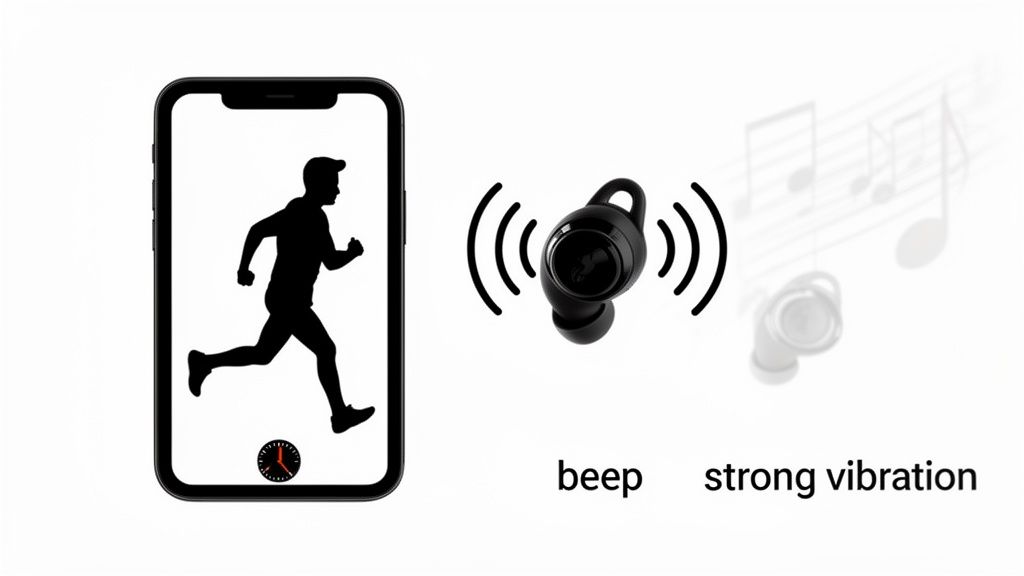
During an all-out effort, you shouldn't be staring at your phone. Your focus must be on form and output, not watching a clock. Your app’s audio and haptic feedback become essential training partners, delivering cues without breaking your stride.
The right alerts from your running interval training app separate a dialed-in session from a chaotic one. Weak beeps get lost in gym noise or drowned out by heavy breathing. You need cues that demand your attention, even under fatigue.
Getting Your Audio Cues Just Right
Your audio cues are like a coach calling out every transition. A great app lets you customize these sounds to fit your environment. The goal is to build a sound profile that's impossible to miss.
Look for these options in your settings:
- Distinct Start/Stop Sounds: Set a sharp, high-pitched tone for the start of a work interval and a different, lower-pitched sound for rest. This contrast provides an instant, unambiguous signal.
- Countdown Alerts: A countdown for the last 3 seconds of an interval is a game-changer. It provides enough time to mentally prepare for the transition—either bracing for the next effort or easing into recovery.
- Voice Cues: Some apps announce what's next, like "Round 5" or "Rest." This is useful for complex workouts with changing interval times.
Dialing in these sounds lets you keep your eyes forward and your mind on performance. The tech should work for your workout, not the other way around.
Under high fatigue, the brain responds better to a simple, loud beep than to visual information. A sharp, distinct sound cuts through mental fog and tells your body exactly what to do.
Fine-Tuning Your Haptic Feedback
Haptics—vibrations from your phone or watch—are a secret weapon, especially if you train with loud music. But not all vibrations are effective.
A faint buzz is useless when your heart is pounding. You need a vibration strong enough to feel through an armband or shorts. Look for an app with options, like a long, sustained vibration or a series of sharp pulses. Experiment to find what works for you under load.
Finally, ensure your app has solid background playback. This is non-negotiable. The timer and alerts must continue running when you switch to a music app. Cues should layer over your music, providing guidance without sacrificing motivation.
Sample Workouts You Can Program Today
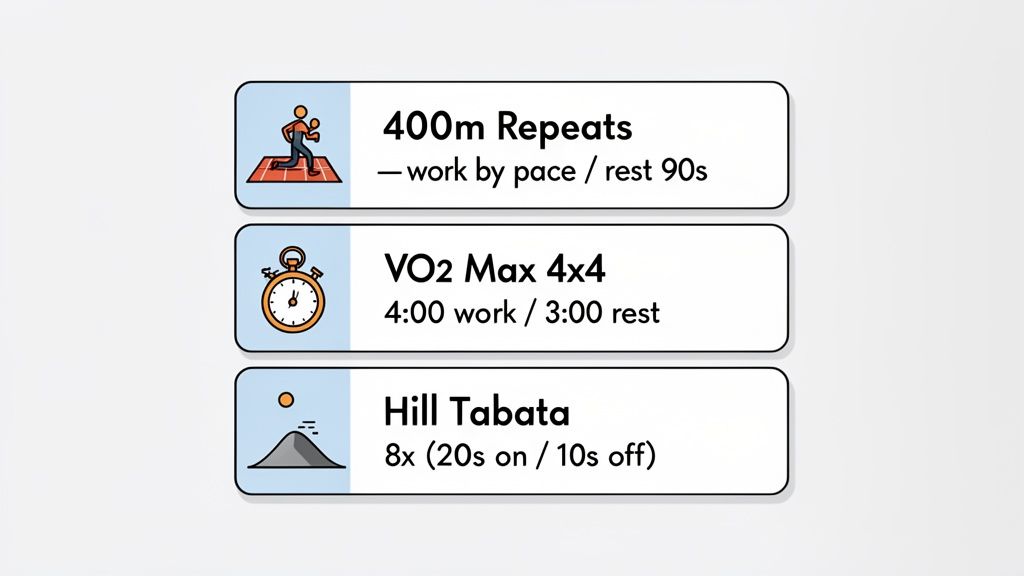
Theory is one thing; application is where gains are made. A running interval training app turns a proven protocol into a perfectly timed session where your only job is to execute.
Here are three high-impact workouts you can build and save as presets to develop speed, power, and endurance. Mobile fitness apps ranked #4 in the ACSM's recent Worldwide Fitness Trends survey because they make efficient protocols like HIIT—which can be 30% more effective than steady-state cardio—accessible.
Classic Track Repeats for Speed
The 400-meter repeat is a staple workout for building speed and lactate tolerance. The goal is consistent, repeatable effort on every rep.
- Warm-Up: 5-10 minutes of easy jogging.
- Work: 400 meters at your target mile pace.
- Rest: 90 seconds of walking or complete rest.
- Rounds: 6-8.
- Cool-Down: 5-10 minutes of light jogging.
To set this up, enter your target 400m time into the "Work" interval (e.g., 80 seconds) and set "Rest" to 90 seconds. Save it as "400m Repeats" for track days.
VO2 Max Intervals for Aerobic Power
This 4x4 protocol is a science-backed method for boosting your VO2 max—your body's maximum oxygen utilization. It's demanding but highly effective for building a bigger aerobic engine. For more ways to get faster, see our guide on how to improve your running pace.
- Warm-Up: 10 minutes.
- Work: 4 minutes hard, around 90-95% of max heart rate.
- Rest: 3 minutes of active recovery (slow jog or walk).
- Rounds: 4.
- Cool-Down: 10 minutes.
Program this as a 4-minute work block and a 3-minute rest block, repeated four times. Name it "VO2 Max 4x4" for your toughest conditioning days.
This isn't just about timing; it's about automating discipline. When the app beeps, you go. No hesitation, no second-guessing—just execution.
Hill Sprint Tabata for Explosive Power
Tabata is a brief but maximal-effort protocol that builds anaerobic power and mental toughness. Performing it on a hill adds a strength component that targets the posterior chain, translating directly to a more powerful stride. It's an ideal session finisher.
- Warm-Up: 10 minutes, plus a few strides on flat ground.
- Work: 20 seconds sprinting all-out up a moderate hill.
- Rest: 10 seconds walking back down.
- Rounds: 8.
- Cool-Down: 10 minutes of easy jogging.
In your running interval training app, set up 8 rounds of 20 seconds on, 10 seconds off. Save it as "Hill Tabata" for developing raw, explosive power.
Track Your Progress with Data That Matters
Your running interval training app is more than a stopwatch—it's an objective record of your work. While it's easy to get lost in complex metrics, the most powerful data is often the simplest.
To track long-term progress, focus on metrics that show consistency and volume.
Metrics like Total Minutes Trained and Monthly Activity provide a high-level view of your training load. Instead of obsessing over the pace of one interval, these numbers show your dedication over weeks and months. This tangible proof of effort is a powerful motivator, especially during a plateau.
This mindset shifts your focus from perfection in a single session to building a foundation of consistent work. One off-day is irrelevant when you can see you've logged 12 hours of training this month.
Beyond a Single Workout
We've all had bad sessions where our legs feel heavy or we can't hit our splits. It's easy to get discouraged, but focusing on one workout ignores the bigger picture. Real improvement is about accumulation—stacking good training days on top of one another.
Simple consistency metrics create an unbiased logbook that proves you’re doing the work.
- Track Your Streaks: Set a goal for a number of interval sessions each week. Watching that streak grow is highly motivating.
- Monitor Monthly Volume: Keep an eye on your total training minutes each month. A steady increase is a clear sign of improving fitness and work capacity.
- Note Your Session Count: Tracking completed sessions is a direct measure of your commitment.
An app that logs your training volume is a silent accountability partner. It doesn't judge a "slow" day; it just records that you did the work. That factual feedback is often what’s needed to stay focused on the long game.
Looking at your training this way helps separate emotion from performance. The numbers provide confirmation that you're putting in the reps and building the base that leads to breakthroughs.
Your running interval training app isn’t just for guiding a workout; it’s for proving to yourself that you are consistently doing what it takes to improve.
Common Questions About Interval Training Apps
Getting the most out of your interval app requires understanding its function. It’s more than a timer; it’s a performance tool. Here are common questions from athletes dialing in their interval work.
Isn't This Just a Fancy Lap Button?
The difference between an app and a GPS watch lap button is precision and focus.
Using a lap button requires you to constantly watch the clock and manually split every interval. Under high fatigue, this is a distraction and leads to sloppy timing. An app automates the entire sequence. With pre-programmed audio or haptic cues, you can put 100% of your mental energy into the effort itself, not into managing your watch.
Can I Use This for More Than Just Running?
Yes. An interval timer structures periods of work and rest, a foundational principle in almost any sport.
- HIIT and Gym Circuits: Keep rest periods honest and maintain intensity.
- CrossFit: Program EMOMs, AMRAPs, or any custom work-to-rest WOD.
- Combat Sports: Set up precise rounds for boxing or MMA, including recovery.
- Rowing and Cycling: Execute power-based intervals without staring at a screen.
How Do I Figure Out My Work-to-Rest Ratios?
Your work-to-rest ratio is a specific prescription designed to produce a specific physiological adaptation.
Your work-to-rest ratio isn't a suggestion; it's the formula for the exact adaptation you're chasing. Developing explosive sprint power requires a completely different formula than building aerobic endurance.
For all-out anaerobic efforts like Tabata or hill sprints, you'll use a short, intense work period followed by an even shorter rest, often a 2:1 work-to-rest ratio. To build your VO2 max, the work intervals get longer, and the rest periods are often close to equal. For tempo runs targeting lactate threshold, work intervals are much longer with very brief recovery.
If you're starting out, use a proven protocol or work with a coach to ensure your ratios align with your goals.
Ready to stop guessing and start executing with precision? The KNTC interval timer was built for athletes who can't afford friction or distractions. Download it for free and build your first workout in seconds.
A 3 Day Split: The Athlete's Framework for Building Strength
Discover a 3 day split to build strength for CrossFit, running, and combat sports without wasting time in the gym.
How to Improve Running Pace and Run Faster Today
Learn how to improve running pace with science-backed training methods. This guide covers interval training, strength work, and pacing strategies.