
HIIT Timer App: Your Guide to Precision-Driven Training
Your phone's stopwatch is the wrong tool for the job. Using it for a serious workout is like trying to set a PR in running shoes made of concrete. It creates friction, kills intensity, and pulls your focus away from the work. A dedicated HIIT timer app isn't a luxury—it's essential equipment for any athlete who values precision and performance.
Why Your Phone's Stopwatch Is Sabotaging Your Workout
Every second spent fumbling with a lap button or squinting at a tiny screen is a crack in your mental focus. Real training demands your full attention on the movement, not on managing a clock.
Your standard stopwatch creates "training friction"—small, distracting moments that dilute the quality of your session. It's a tool for measuring time after the fact, not for driving your performance in the moment.
This is where a specialized HIIT timer app becomes indispensable. A CrossFitter in a grueling EMOM can't afford to guess how much rest is left—it could mean a missed rep or a failed lift. A boxer who looks away from the bag to check the clock is building a bad habit that leads to getting caught in the ring. The objective is to offload the mental burden of timekeeping so you can commit fully to the physical output.
The Real Cost of Imprecise Timing
Sloppy timing isn't a minor issue; it directly undermines your results. The physiological benefit of high-intensity interval training comes from strict adherence to work-to-rest ratios designed to target specific energy systems. When your intervals are inconsistent, you aren't getting the stimulus the workout was designed to deliver.
A dedicated timer removes the mental drag. Instead of thinking about the clock, you just react to it. This frees you to find a deeper focus, pace yourself better, and ultimately, crush your performance when it counts.
The Shift to Performance-Focused Training Tools
High-Intensity Interval Training (HIIT) is a cornerstone of modern conditioning, and specialized apps are the tools that enable athletes to execute complex protocols flawlessly.
The data backs this up. The global fitness app market, where HIIT tools are a major segment, grew from $2.1 billion in 2019 and is projected to reach $10.5 billion by 2026. This trend accelerated when gym closures forced over 70% of users to train at home, making accurate timers with loud, clear cues essential for maintaining training integrity. You can review this market trend over on KBV Research.
Core Features Every Athlete Demands
A serious training tool is defined by function, not flash. It’s about clean, practical design that works without fail when you're gassed and focused on the next rep. When evaluating a HIIT timer app, a few non-negotiable features separate professional-grade tools from glorified stopwatches.
This is about more than just convenience. A reliable, precise timer provides a significant advantage. Structured intervals have been shown to improve workout consistency by up to 40% for dedicated athletes. It’s why the fitness app market is projected to grow from $12.12 billion in 2025 to over $33.58 billion by 2033, according to Grand View Research. This growth is fueled by tools that deliver the accuracy serious training requires, particularly those that integrate with wearables—which 73% of U.S. tracker owners already use.
Absolute Precision and Readability
First, accuracy is non-negotiable. Your timer must have millisecond precision. Those fractions of a second are where performance gains are measured over time. Anything less is just estimation.
Equally critical is a high-contrast display with large, legible numbers. When you're bent over trying to recover after a hard set, you need to be able to see the clock from across the room without a second thought. This simple feature lets you stay in the zone, mentally preparing for the next round instead of fumbling with your phone.
The image below illustrates the difference between a basic timer and a precision tool built for focus.
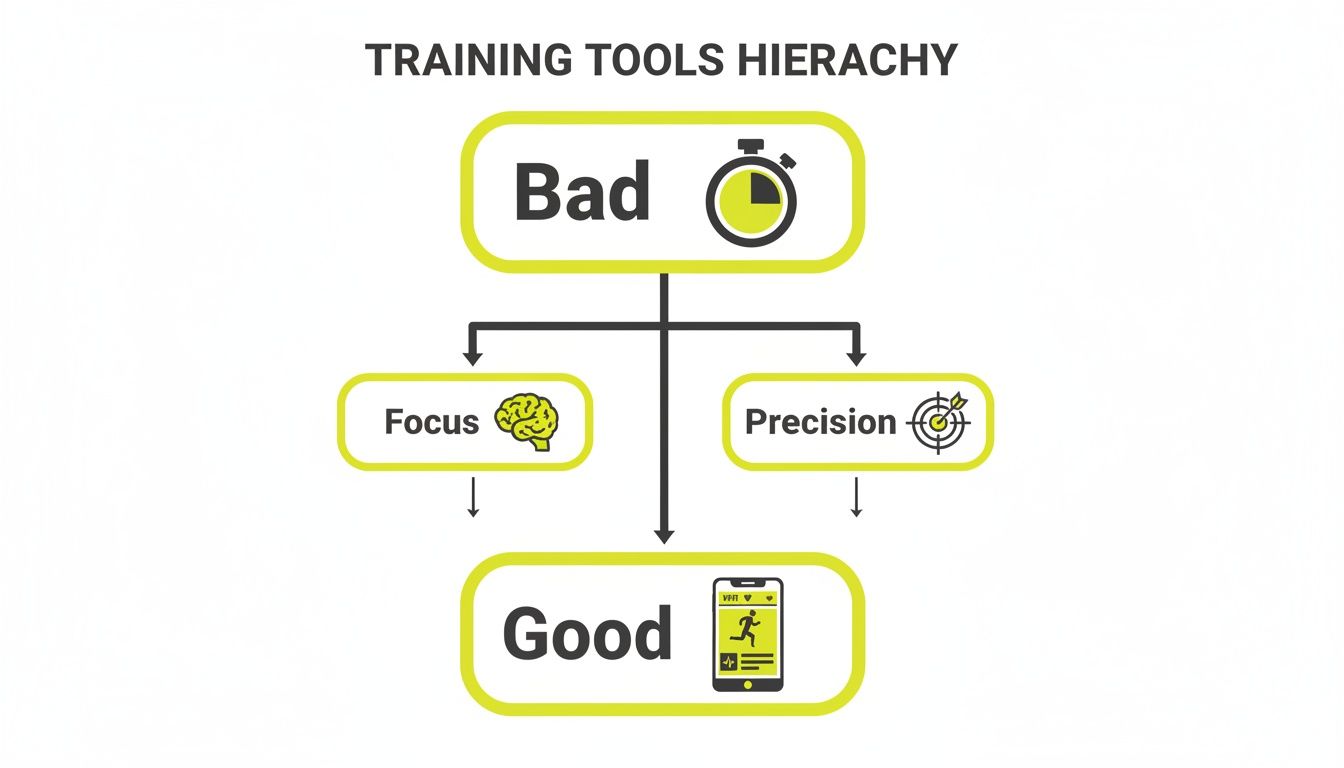
It comes down to a simple training principle: the less you have to think about the clock, the more mental energy you can direct toward performance.
Cues That Cut Through the Noise
A large display is only half the solution. In a loud gym, during a run with city traffic, or when you're wearing headphones, you rely on sound and vibration. A top-tier HIIT timer app must provide cues that are impossible to ignore.
Your timer's job is to command your attention without demanding it. The signal should be an automatic trigger, not another piece of information you have to process when you're already fatigued.
These are the must-haves for sensory cues:
- Loud, Distinct Audio: You need beeps and chimes that cut through heavy music, the clang of weights, or your own breathing.
- Strong Haptic Feedback: A powerful vibration is a critical feature, especially with headphones on. It’s your non-visual cue to go or stop.
- Customizable Cues: Different sounds for work, rest, and the final seconds of an interval eliminate ambiguity. You learn to react instinctively, which is the goal.
These elements are fundamental. Our guide on the best interval timer app explains how these sensory cues directly improve pacing and performance. A tool built for athletes understands that under pressure, clarity is everything.
Essential HIIT Timer App Feature Checklist
This checklist separates the mission-critical features from the nice-to-haves. For serious training, don't settle for an app missing anything in the first column.
| Feature | Why It Matters for Performance | KNTC Implementation |
|---|---|---|
| Millisecond Precision | Tracks marginal gains and ensures workout-to-workout data is accurate. A 1-second delay is a massive error in a 20-second sprint. | Every timer in KNTC is built on a millisecond-accurate clock, so your performance data is always dead-on. |
| High-Contrast Display | Allows for at-a-glance time checks from across the room, preserving focus and workout flow. No need to stop and squint. | We use a massive, high-contrast font against a dark background, optimized for maximum readability in any lighting condition. |
| Loud, Custom Cues | Audio signals cut through gym noise or music, providing unmistakable start/stop commands without needing to watch the screen. | KNTC offers a library of distinct, loud sounds for work, rest, and prep periods, so you can train by ear and stay in the moment. |
| Background Operation | Lets you listen to music or podcasts without the timer stopping. Essential for long runs or sessions where you need a soundtrack. | Our app runs flawlessly in the background. Your music plays, your cues fire, and your workout never misses a beat. |
The right features don't add complexity—they remove it. A great app gets out of your way and lets you focus on the work.
How to Program Common Training Protocols
A HIIT timer is useless if you can't program it efficiently. The real value is translating your workout plan into the app's settings, turning a potentially disjointed session into a seamless, perfectly paced effort. Here's how to set up the most common protocols—Tabata, EMOM, AMRAP, and standard intervals—so you can focus on form, not your phone.
Each protocol is a tool designed to elicit a specific physiological response. Correct setup is non-negotiable to get the intended training stimulus.
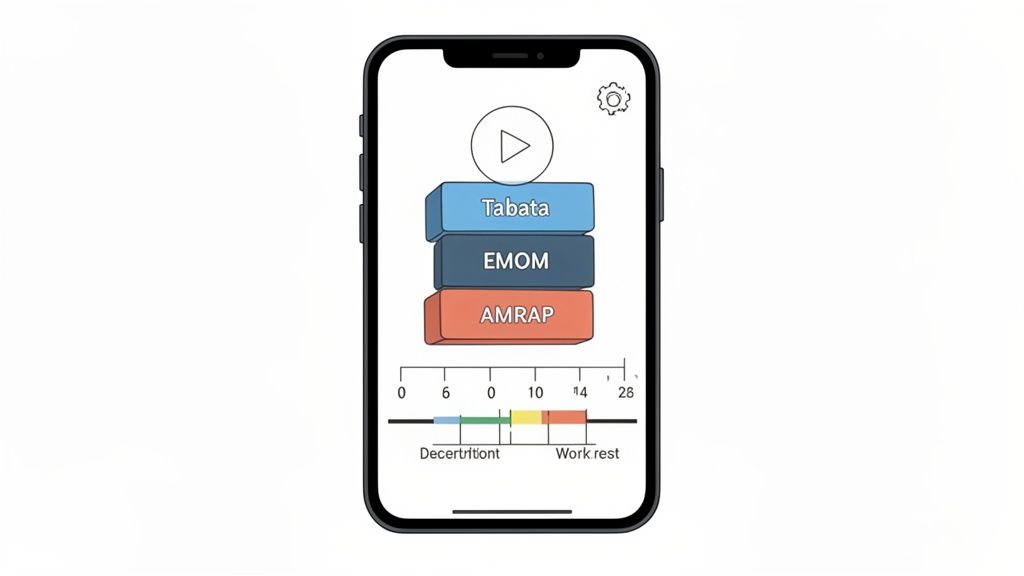
Setting Up a Tabata Protocol
Tabata is pure intensity. The protocol is simple and brutal: 20 seconds of maximum effort, followed by 10 seconds of complete rest, repeated for eight rounds. This four-minute block is a potent metabolic stimulus.
Programming it is straightforward:
- Work Interval:
00:20 - Rest Interval:
00:10 - Rounds:
8
A good app lets you save this as a "Tabata" preset, making it accessible with a single tap. No need to re-enter the numbers for every session of burpees, kettlebell swings, or assault bike sprints.
Programming an EMOM for Skill and Pacing
EMOM stands for "Every Minute On the Minute," a CrossFit staple that builds consistency and reinforces technique under fatigue. The structure is simple: perform a set amount of work at the start of each minute. The remaining time within that minute is your rest.
For a 10-minute EMOM of 5 power cleans:
- Timer Type:
EMOM(orRoundsif no dedicated EMOM setting exists) - Round Length:
01:00 - Total Rounds:
10
The app cues the start of each minute, holding you accountable. If your 5 reps take 40 seconds, you get 20 seconds of rest. If fatigue sets in and they take 55 seconds, you only get 5 seconds. EMOMs are self-regulating and teach you to be efficient under duress.
Structuring AMRAP and Intervals
AMRAP means "As Many Rounds/Reps As Possible." It's a test of work capacity over a set time block. The simplest setup is a countdown timer. For a 20-minute AMRAP, you set a single timer for 20:00 and work.
For a more structured approach to maintain intensity, you can break it up. For example:
- Three 5-minute AMRAPs, with 2 minutes of rest between them.
- Work:
05:00 - Rest:
02:00 - Rounds:
3
This structure prevents pacing drop-off common in a single, longer effort. The same setup works perfectly for runners or cyclists doing VO2 max intervals—for instance, 5 rounds of 3 minutes hard followed by 3 minutes easy recovery. A solid timer app should handle all these variations effortlessly. If you're new to this, a good free interval timer app is a great way to start experimenting.
Advanced Settings That Sharpen Your Focus
Basic programming gets the job done. Advanced settings are what elevate a good HIIT timer to an essential piece of gear. These are the details that eliminate guesswork, letting you achieve a flow state where all your energy is channeled into the workout itself.
When you're fighting for air, there can be no ambiguity. A generic beep is useless—is it time to work or rest? A professional-grade timer provides customizable audio cues: a sharp, distinct sound for "go," a different one for "rest," and perhaps a voice countdown for the final seconds. Your brain learns to react without conscious thought.
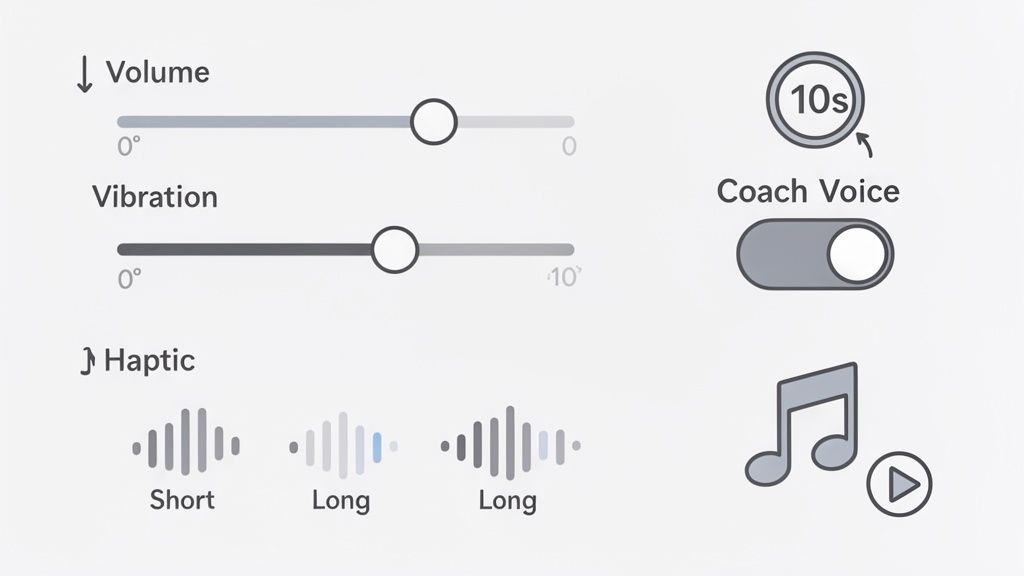
Cues You Can Feel, Not Just Hear
For runners in traffic, boxers hitting a heavy bag, or anyone training with loud music, audio cues get lost. This is where haptic feedback is a non-negotiable feature. A well-designed app uses distinct vibration patterns to signal what's next.
Imagine a sharp pulse on your wrist to start a sprint and a longer vibration to signal the start of recovery. You receive all necessary information without looking at a screen or removing your earbuds.
Sport-Specific Details That Matter
A CrossFitter's needs for a WOD are different from a boxer's for round work. The best HIIT timers accommodate this with purpose-built features.
For a clean start to a WOD, a 10-second countdown is essential. It gives everyone in the gym time to get set, chalk up, and hit that first rep precisely on the buzzer, ensuring a fair and synchronized start.
Other critical features include:
- Background Functionality: The timer must run perfectly when you switch to a music app. A timer that pauses is a failed tool.
- Screen Lock Override: The app should keep your screen on during the workout. Unlocking your phone to check the time is an unnecessary distraction.
- Landscape Mode: Turning your phone sideways to display huge numbers is a simple but effective feature for group settings or when the phone is across the room.
These details may seem small, but they create a seamless training experience. This focus on user needs is driving the fitness app market toward a projected $25.9 billion by 2033. After 60% of users shifted to home workouts, demand for apps with reliable haptics and clear audio soared. Training studies have found these features can improve pacing accuracy by as much as 25%. For a closer look at these trends, see this fitness app market report.
The Psychology of Speed and Consistency
The best training tool is the one you actually use. For a HIIT timer app, the design details that get you started quickly and encourage consistency are as important as the feature list. It’s not just what the app does, but how it supports your long-term discipline.
The Critical "Speed-to-Start"
Every athlete understands pre-workout inertia. That moment of hesitation can kill motivation before you even start. A clunky app with a complicated setup is just another barrier. If programming a simple interval requires navigating multiple menus, consistent use is unlikely.
This is why "speed-to-start" is a crucial design principle. An app built for athletes lets you launch a saved workout in two taps. By removing friction from the process of starting, the app helps build the habit of showing up.
Making Consistency Effortless
The goal is to make starting easy and to reinforce progress without adding distraction. Many fitness apps fail here, bombarding users with notifications, social feeds, and complex data dashboards that are irrelevant mid-workout.
A great performance tool gets out of your way. It is designed to remove obstacles and make the act of training feel automatic, not to add digital noise to your life.
The best reinforcement is subtle. It’s not about virtual badges or leaderboards. It's about simple, clean tracking that provides an internal sense of accomplishment.
A few well-designed features make all the difference:
- A Simple Streak Calendar: Seeing a chain of completed workouts is a powerful psychological motivator. You don't want to break the chain.
- Total Time Trained: Watching your total training minutes and hours accumulate is concrete proof of your commitment.
- Clean Workout History: A clear log of past sessions lets you track progress without getting lost in overly complex analytics.
These elements create a feedback loop that reinforces your existing drive. A great HIIT timer app respects your focus. It understands the real work happens on the gym floor or the track—the app is simply there to make starting and finishing that work as seamless as possible.
Putting It All Together with KNTC
We’ve covered the theory: precision, focus, and consistency. But what does that look like in practice? A great HIIT timer app is a piece of performance gear, engineered to eliminate the factors that kill intensity: fumbling with a phone, missing cues, and clock-watching.
We built KNTC to solve these problems. It was created out of the frustration of using tools that get in the way of training. KNTC is for the athlete who just wants to do the work. Every feature is designed to be invisible when you need it to be.
Presets That Understand Your Training
Stop building timers from scratch. KNTC comes pre-loaded with presets to get you into your workout in seconds. These aren't generic templates; they are the foundational structures for specific training modalities.
Here are a few examples:
- For HIIT: The classic Tabata preset is ready to go: 8 rounds of 20 seconds on, 10 seconds off. No setup needed.
- For CrossFit: Use the EMOM timer for skill work or a metcon. The clean, unmissable cues will keep you on pace every minute.
- For Boxers: The Rounds timer is set for standard 3-minute rounds with a 1-minute rest. The 10-second warning clap prepares you to finish the round strong.
- For Runners: A custom Interval for the track, like 6x400m sprints with 90 seconds recovery, can be built once, saved, and launched with a single tap.
The philosophy is simple: your timer should adapt to your training, not the other way around. It's about eliminating decision fatigue so all your mental energy is directed toward your performance.
The fumbling, distractions, and sloppy timing discussed earlier are symptoms of using the wrong tool. KNTC's focus on speed, clarity, and reliability makes it the right tool for any serious athlete.
See how it works by trying the KNTC timer for yourself. You will feel the difference.
Got Questions About HIIT Timer Apps? We’ve Got Answers.
Here are the most common questions from athletes looking for the right HIIT timer app. No fluff, just direct answers.
How Is a HIIT Timer App Different From My Phone’s Stopwatch?
A stopwatch is a passive tool; it only measures elapsed time. A proper HIIT timer app is an active coach that dictates your work and rest periods.
This frees you from the mental load of clock-watching, allowing you to focus 100% on form and intensity. For workouts like Tabata or EMOMs, that undivided attention is what drives results.
What Are the Absolute Must-Have Features?
For any serious athlete, these features are non-negotiable. If an app lacks these, look elsewhere.
- Loud, Clear Cues: Audio and haptic feedback that cuts through any environmental noise.
- A Big, Bold Display: Massive, high-contrast numbers readable from across a room.
- Saved Workouts: The ability to save routines as presets for one-tap access.
- Runs in the Background: Flawless operation while using other apps, like a music player.
An app that fails on any of these points adds friction to your workout. A good tool removes friction. The fundamentals must be perfect.
Can I Get by With a Free HIIT Timer App?
Yes, many free timers are adequate for basic intervals and are a good starting point. However, they often come with trade-offs.
You may encounter intrusive ads, limitations on programming complex routines (like escalating EMOMs), or a lack of critical features like haptic cues. They work for casual use, but for serious, consistent training, investing in a dedicated performance tool is a significant upgrade.
Ready to train without distractions? KNTC was built for the speed, clarity, and reliability that serious athletes demand. Try it and feel the difference in your first workout at https://www.kntctimer.com.
Master Your Pacing with the Right EMOM Timer App
Stop guessing and start performing. Discover how an EMOM timer app transforms your workouts by enforcing precision, building work capacity, and driving results.
Best Interval Timer App: Top Picks for HIIT, CrossFit & More
Discover the best interval timer app options for HIIT, CrossFit, and more. Compare accuracy, speed, and real-world usefulness to choose.