
The Best CrossFit Timer App for Flawless WOD Execution
If you take your training seriously, a proper CrossFit timer app is as essential as your lifting shoes. Trying to manage a generic phone stopwatch during a WOD is a surefire way to miss reps, lose focus, and compromise your performance tracking. It's an unnecessary handicap that sabotages the intensity you're working to create.
Why Your Phone's Stopwatch Is Costing You Reps
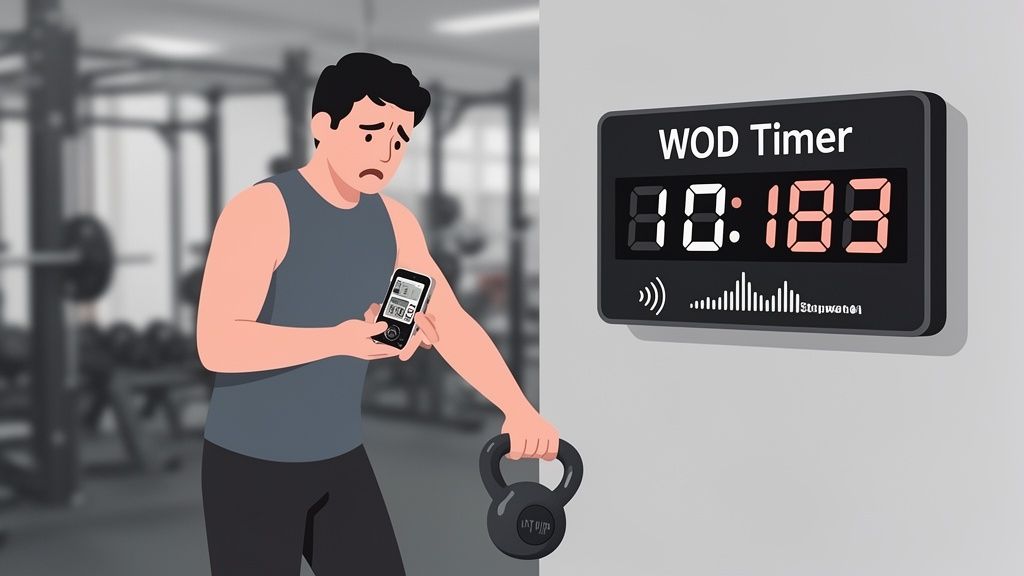
In high-intensity training, every second is earned. Yet many athletes fall back on the basic phone stopwatch—a tool never designed for the demands of a WOD. This isn't just about convenience; it's about maintaining mental and physical focus to hit your peak. A generic timer forces you to be the timekeeper, a job that directly conflicts with your primary role as the athlete.
Think about your last EMOM. Did you spend the final seconds of each minute watching the clock instead of bracing for the next set? That split focus is a performance leak. A dedicated interval timer takes over timekeeping, freeing you to pour every ounce of energy and concentration into the movement.
The Real Cost of Using the Wrong Tool
We've all been there. The small annoyances of a basic timer add up, chipping away at the quality of your workout.
- Fumbling Between Rounds: Manually stopping, resetting, and starting a timer between intervals kills your rhythm and eats into prescribed recovery time.
- Inaudible Cues: The faint chime from a standard app is useless in a gym echoing with dropping weights and loud music.
- Divided Attention: Constantly glancing at your phone to check the remaining time pulls you out of the moment, disrupting your breathing and breaking your mental flow.
The shift to specialized digital tools is driven by performance needs. The global fitness app market is projected to grow from $12.12 billion in 2025 to $33.58 billion by 2033, fueled by athletes demanding better tools. You can discover more insights about the rise of specialized fitness apps to understand how vital they've become for serious training.
A purpose-built CrossFit timer app turns the clock from a distraction into a reliable partner that holds you accountable for every second of work.
What Makes a Great WOD Timer?
Not all timer apps are built for the intensity of a CrossFit box. A high-performance CrossFit timer app is designed to cut through the noise and keep you focused on the work, not on your phone.
You wouldn't wear running shoes for a heavy snatch; you use specialized gear for a specific job. The same logic applies here. A generic stopwatch just counts seconds. A performance timer drives the workout. It provides clear, unmistakable signals that let you commit all your energy to movement and pacing. This is about moving beyond a simple "start" button to a tool that performs under pressure.
Going Beyond the Basics
For any serious athlete, a few features are non-negotiable. These are fundamental for staying in the zone when you’re deep in a workout.
- Loud, Distinct Audio Cues: Your timer must be louder than dropping barbells and gym music. Gentle chimes are useless. You need sharp, piercing beeps or clear voice cues that command your attention.
- A Massive, High-Contrast Display: When you’re recovering from a brutal set, you need to see the clock from across the room with just a glance. Big, bright numbers on a dark background are essential for instant time checks that don’t break your rhythm.
These two elements are the foundation of a reliable timer.
Cues You Can Feel, Not Just Hear
What about training with headphones? This is where audio cues fail and haptic feedback becomes critical.
A strong, distinct vibration for work and rest intervals means you can feel your next move without looking at the screen or removing an earbud. It’s a physical tap on the shoulder that says, "Go," keeping your focus completely internal.
This sensory input is a game-changer for maintaining flow, especially during a long EMOM or focused skill work. A good timer’s vibrations should be as clear as its beeps.
You can dive deeper into how different timers handle various high-intensity protocols in our guide on choosing the best HIIT timer app.
Essential vs. Nice-to-Have App Features
When sorting through options, separate critical performance features from secondary ones. Many apps are loaded with extras that don't help you train harder. This table breaks down what matters.
| Feature Category | Essential for Performance | Why It Matters | Nice-to-Have (But Not Critical) |
|---|---|---|---|
| Audio & Visual Cues | Loud, distinct audio; large, high-contrast display. | Cuts through gym noise and allows for quick, glanceable time checks without breaking your focus. | Customizable color schemes, multiple font choices, workout music integration. |
| Haptic Feedback | Strong, distinguishable vibration patterns for work/rest. | Allows for "eyes-free" and "ears-free" training, perfect for headphone users or focusing on form. | Light haptic taps for mid-interval warnings. |
| Timer Programming | Quick, intuitive setup for EMOM, AMRAP, Tabata, and custom intervals. Presets/saved timers. | Reduces setup friction and gets you into your workout faster. Consistency in programming. | Social sharing of workouts, pre-loaded "workout of the day" libraries, animated exercise guides. |
| Core Functionality | Runs in the background and with the screen locked. Precision to the second. | Prevents the timer from stopping if you accidentally hit the power button or switch apps. Accuracy is key. | Activity tracking (calories, heart rate), progress photos, community leaderboards. |
The essentials are all about removing distractions and keeping you locked in. The nice-to-haves often add complexity without improving your training session.
Finally, presets are your shortcut to consistency. Being able to save your favorite EMOMs, Tabata protocols, or custom interval circuits eliminates setup friction. A great CrossFit timer app lets you go from opening the app to starting your WOD in just a few taps, removing any mental hurdle to getting the work done.
The fitness app market is flooded, but serious athletes are driving demand for these specialized tools. The exercise and weight loss app category accounted for over 54.8% of the market's revenue in 2023, showing a clear trend toward apps that support specific workout styles with performance-oriented features.
How to Program Your Timer for Common WODs
A great timer should adapt to your workout, not the other way around. Once you have a solid CrossFit timer app, the real advantage comes from programming it to drive your training. Moving beyond a basic stopwatch unlocks its potential, delivering the precision needed for workouts like EMOMs, AMRAPs, and Tabata.
This automation lets you stop thinking about the clock and pour all your energy into performance. When programmed correctly, the timer cues you—you don't have to check it. It’s a fundamental shift from watching the clock to being guided by it. The goal is to set it, forget it, and just work.
This diagram shows the simple but powerful feedback loop a well-programmed timer creates, providing cues you can see, hear, and feel to keep you on task.
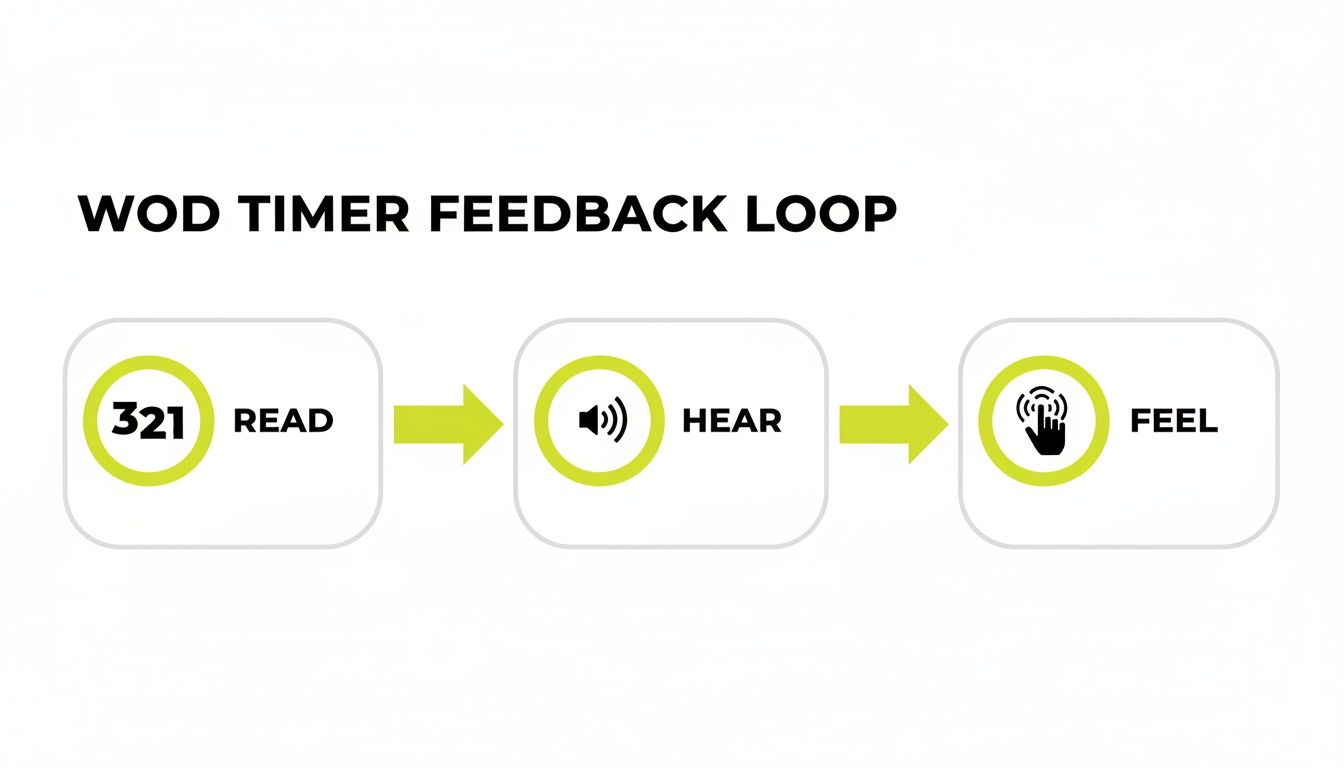
This multi-sensory approach is critical. It means that no matter how loud the gym is or how fatigued you are, the timer's signals will cut through and keep you on track.
Setting Up an EMOM
Every Minute On the Minute (EMOM) is all about precision. The objective is to fit your work and rest into a perfect 60-second window. Using a generic timer for this means you're always clock-watching, which steals focus from your reps and recovery.
A dedicated EMOM mode handles it for you.
- Select EMOM Mode: Choose the EMOM function in your app.
- Set the Duration: Enter the total minutes (e.g., 10 minutes).
- Start: The app provides a countdown and a clear beep at the top of each minute, every minute, until the workout is complete.
The real benefit is mental freedom. You no longer need to see the clock; you just listen for the beep or feel the buzz and go. For a deeper dive, our guide on choosing the right EMOM timer app has more advanced strategies.
Programming an AMRAP
For an As Many Rounds/Reps As Possible (AMRAP) workout, the goal is maximum effort against a running clock. A big, clear display you can see with a quick glance is key.
A well-designed timer app will have a high-contrast, full-screen display. To program an AMRAP, just set the total time—say, 20 minutes for "Cindy"—and hit go. The massive digits should be visible from across the room, letting you pace yourself without breaking rhythm.
Building Custom Intervals for Tabata
Tabata is defined by its 20 seconds on, 10 seconds off protocol. Tracking this manually with a stopwatch is nearly impossible and defeats the purpose of the workout. A dedicated interval mode is essential.
Here’s how to set up a classic Tabata:
- Work Interval: Set to 20 seconds.
- Rest Interval: Set to 10 seconds.
- Rounds: Set to 8.
The app cycles through all eight rounds automatically, giving sharp, distinct cues for work and rest. This enforces perfect adherence to the protocol, pushing the intensity without the mental load of counting seconds. You can use the same logic to build any custom interval WOD.
Advanced Features for Competitive Athletes
Once you've mastered basic WOD programming, further gains come from attention to detail. This is where advanced features in a CrossFit timer app separate the good from the great. They offer granular control that eliminates distractions and helps you stay locked in when every second counts.
Think of it as personalizing the feedback loop between you and the clock until it feels like an extension of your own effort. These aren't just bells and whistles; they are tactical advantages. For a competitive athlete, reducing mental friction is everything. The right tool lets you react to cues instinctively, without second-guessing what you’re hearing.
Haptic Cues That Keep You in the Zone
Many of us train with headphones, which renders audio cues useless. This is where custom haptic feedback becomes a game-changer. A simple buzz is okay, but an advanced timer lets you feel the difference between work and rest.
Imagine a sharp, single vibration signaling the start of an interval, followed by a longer, double-vibration for rest. This distinct sensory input allows for completely "eyes-free" and "ears-free" training, keeping your focus squarely on form and breathing. This is especially crucial for combat athletes who need to focus on technique; our guide on the features of a great boxing timer app dives deeper into this.
Audio That Cuts Through the Chaos
The average gym is a noisy environment. A weak beep from a timer app can easily get lost, causing you to miss cues and throw off your set.
Advanced audio customization is the solution. It lets you select sounds specifically designed to punch through high-noise environments. Look for timers that offer options like:
- Distinctive Beeps: High-pitched, sharp tones that are hard to ignore.
- Voice Cues: Clear callouts like "WORK" and "REST" that eliminate confusion.
- Countdown Alerts: A three-beep countdown before an interval starts gives you time to brace and prepare.
This level of audio control ensures you hit your marks every time, no matter how chaotic the training environment gets.
A timer that runs seamlessly in the background isn't a luxury—it's non-negotiable. Cues must play over your music without stopping the track, and the timer must continue running perfectly even if your phone screen is locked. Anything less interrupts your flow.
This is especially true in a group setting. With over 13,000 CrossFit affiliates worldwide and over 60% of athletes logging workouts digitally, the need for reliable tools is clear. A recent survey found that 73% of gym owners using digital platforms saw higher member retention, demonstrating how much athletes value a structured, digitally-supported training environment. These advanced features are about removing every possible point of failure between you and a perfectly executed workout.
Using a Timer App to Run a Better Class
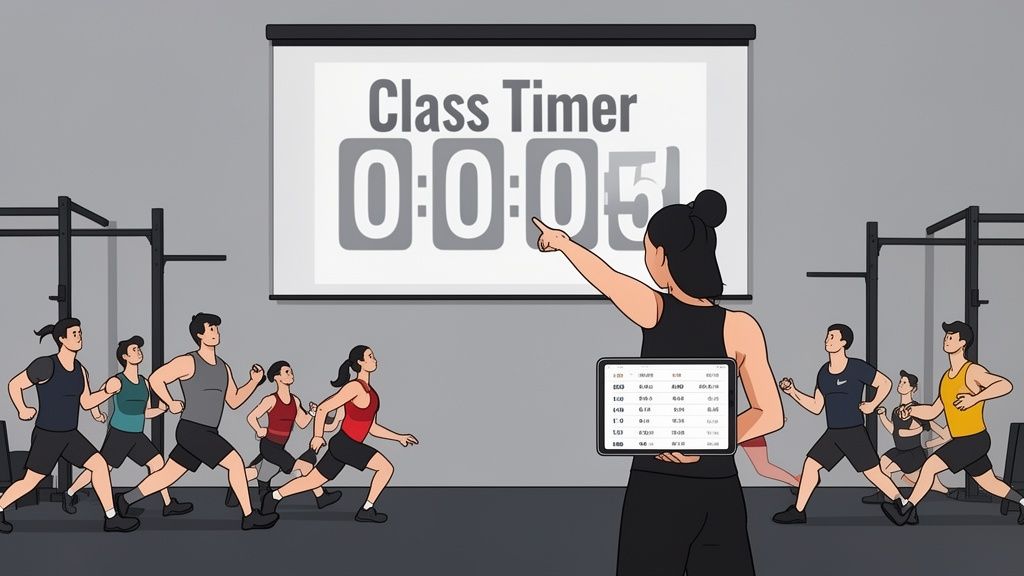
A solid CrossFit timer app is not just for individual athletes; it's a powerful tool for coaches and box owners. Managing the time and focus of a dozen people at once is a challenge. When you're stuck counting down seconds or shouting over music, you're not coaching—you're being a human stopwatch.
Integrating a great timer app into your class flow changes the dynamic. It frees you from clock-watching so you can focus on what matters: correcting an athlete's squat depth or offering a cue that helps their clean finally click. A large, visible clock gets everyone on the same page and creates a professional, cohesive environment from the first rep to the last.
Unify the Class with a Single Clock
Projecting a large timer display onto a wall or TV screen is the most effective way to unify a class. When everyone works off the same clock, confusion disappears. No one starts early or finishes late. It builds a shared sense of urgency and keeps the group accountable.
A high-contrast display means every athlete can see the time with a quick glance, no matter where they are. This visual anchor keeps the class in sync and lets you manage pacing as one unit.
Streamline Transitions with WOD Presets
Clunky transitions between the warm-up, skill work, and WOD kill momentum. Fumbling with your phone to set up a new timer for each segment drains energy from the room. Presets are a coach's secret weapon.
By pre-programming the entire class structure into your app, you can flow from one segment to the next with a single tap. This means less downtime, more work, and a class that runs efficiently. It shows your members you respect their time.
Have these locked and loaded before class:
- Warm-up: 3 rounds of 40s work, 20s rest.
- EMOM: A 12-minute EMOM for skill practice.
- Metcon: A 15-minute AMRAP for the main event.
Organizing your class this way ensures you maximize every minute of the hour.
Manage Large Groups Effectively
Coaching a large class requires clear cues that cut through noise. A powerful CrossFit timer app with loud, distinct audio signals acts as an assistant coach. Sharp beeps for work, rest, and round changes are unmistakable, ensuring every athlete knows when to push and when to breathe.
This auditory guidance means you don't have to constantly shout instructions. You can save your voice and focus on providing high-quality feedback to your athletes.
Got Questions About CrossFit Timer Apps? We’ve Got Answers.
When you’re aiming for a new PR, you can't second-guess your tools. Let's cover some of the most common questions athletes and coaches have about choosing and using a CrossFit timer app. The goal is to eliminate any friction between you and the work. A timer should make training harder by pushing intensity, not because it's difficult to use.
Can’t I Just Use My Phone's Stopwatch?
You can, but for structured workouts, it’s the wrong tool for the job. A basic stopwatch doesn’t understand EMOMs, AMRAPs, or Tabata, which leaves you clock-watching the entire time. That mental energy should be spent on your form and pacing, not staring at ticking seconds.
A dedicated CrossFit timer runs the workout for you with loud audio cues and vibrations that signal exactly when to work and rest. You are free to just perform. It's the difference between logging time and using time to drive your effort.
What’s the Single Most Important Feature for a Noisy Gym?
In a loud box, there is no single most important feature. You need a combination of three working together: loud and distinct audio, powerful haptic feedback, and a large, high-contrast display. If one fails, the system is compromised.
- Loud Audio: The sound must be sharp enough to cut through dropping barbells and loud music.
- Strong Haptics: If you wear headphones, a powerful vibration is the only cue that will get through.
- Large Display: A huge, bright clock allows for time checks with a quick glance from across the floor, without stopping to squint at a screen.
How Can a Timer App Help Me Bust Through a Plateau?
Plateaus happen when intensity or consistency slips. A quality timer is an accountability partner—it enforces discipline and provides clean data.
When you use precise, automated intervals for a workout like Tabata, you guarantee the intended work-to-rest ratio every time. There's no "accidental" extra five seconds of rest. Using saved presets for benchmark WODs ensures your performance data is comparable over time. That precision helps you identify real progress and pinpoint where you need to push harder to break through.
A timer doesn’t just count seconds; it holds you accountable to them. That accountability turns consistent effort into measurable progress and helps you smash performance ceilings.
Will a CrossFit Timer App Kill My Phone Battery?
A well-built app should have minimal impact on your battery. Look for one designed to run efficiently in the background, even when your screen is off.
This achieves two things. First, it conserves battery, so you can get through a long session without issue. Second, it lets you play your own music without the timer's cues interrupting the playlist. A solid CrossFit timer app should handle a full hour-long WOD without causing battery anxiety, letting you focus on training, not your charge level.
Ready to stop fighting your timer and start focusing on performance? KNTC is a zero-friction interval timer built for athletes who take training seriously. With saved presets, piercing audio cues, and strong haptics, you can go from tap-to-training in seconds. Try KNTC free and feel the difference.
The Interval Training Timer App Built for Performance
Stop using a basic stopwatch. Discover the essential features your interval training timer app needs for HIIT, CrossFit, and running to maximize every session.
Boxing Timer App: A Precision Tool for HIIT and Combat Training
Discover the boxing timer app that powers precise HIIT intervals, CrossFit rounds, and boxing workouts to boost performance.